The past period has been the true launch of my journey into AI.
I usually rely on my intuition, experience, and integrity. Now, I’m experimenting with an artificial partner to support my thinking and design. The big question is: Will this ‘partner’ truly support me? I’m eager to find out.
This my second post on this topic, for the first post check out this link.
Ownership
I see a clear quest for ownership and a shift in traditional roles. This is fundamentally a mindset change that will take time to overcome..
For example, it sounds great that designers can quickly mock up designs, which includes production code, so the developer can seamlessly continue. But can the developer also not start mocking up design?. Can the product manager also not create a product prototype at the start of a project?
On one hand, this overlap is a great thing—we blend unique skills while moving into adjacent areas. On the other, however, it risks pushing us apart, making us more ‘mono’ rather than ‘stereo’ and actually limiting collaboration. My firm belief is: “The beauty lies in the middle”!
I’m the first to admit my own mindset is biased. In this article it is stated that: “Many people think that the new tools will mean that anyone could cover any of these roles.” and “Realize that we have had no-code and low-code user programming tools for several years. And we have also known that design tools can be learned and used by product managers and engineers alike. Yet the results are rarely what anyone was hoping for. As always, it’s not the tool; it’s what you choose to do with that tool.” I believe (and hope) that the industry will tremble for a period, but ultimately, professional lines will largely fall back to our core skills, now simply enhanced by AI augmentation.
From the same article, I do appreciate this quote “Further, I argue that the critical competencies needed will continue to be distinct enough, and deep enough, that in most cases, product teams will need a product manager to solve for the many business constraints, a product designer to solve for the user experience, and an engineer to solve for the technology.” I like the smaller team setup as it many stakeholder discussions and engagements.
Think outside the tool
It is a healthy mindset when designers can think outside the tool, like thinking outside the box. It is damn-easy to follow the ready-made proposals that AI tools can offer you. Still, you always stay inside that tool..
As a designer you will need to understand when to take a step back and act in the real world (of your users). Discard your ideas, instead of making more. Yes, you will be capable of creating your ideas into reality faster. But will you use that ‘gained’ time to step-out and make REAL sense of the ideas, rather than be awed by the swiftness of creating one idea, and the ability to make more?
I look critically at the current phase. I certainly need to ‘fall in love’ first, like many people I see around me. But, I honestly think I rather have a normal relationship with a tool 🙂
Lost skills
Beyond the hype of ‘up-skilling’, we must also understand the opposite that will happen: the inevitable ‘lost-skill’ that will occur..
If things become so easy with augmented tooling, you are forgetting how to do it without that tool. How many people can still draw with pen and paper before using a digital tool? How many people can still count in their heads? In that sense, I wonder about the true meaning of the word Artificial Intelligence. Will it make us humans smarter as well, or will it make us more dumb?
This article triggered my thinking, where a designer starts with a pen and paper before using AI to make that into a functional software application. While I believe that latter part is certainly possible, I certainly have my doubts if people still know how to hold a pen and paper and draw something that is a good basis for a design..
Normally, when I design from scratch, I have thought about every interaction and every pixel, redesigning and improving it continuously. If we get bombarded by AI solutions created fast and sometimes without enough human involvement, will we still be capable of judging if something is good? At this moment, we often see an AI solution quite quickly and clearly as ‘not great’, but this will evolve as the technology evolves. It is too early to really know, and I am looking with a critical yet curious eye at these developments.
As Marty Cagan puts it in this article: “We need to understand the problem we’ve been asked to solve, and figure out a good solution (product discovery), and then we need to build, test and deploy that solution to our customers (product delivery). Everything in product has some amount of judgment, and some amount of process, but product discovery is primarily about judgment, and product delivery is much more about process. Most of the newly emerging tools focus on product delivery”
Even though also tools emerge for product discovery, it does not mean that everyone can make a successful product into reality based on an idea, pretty much like Steve Jobs said in this video.
I maintain my excited skepticism, but I believe we can absolutely ride this wave—provided we drop the fights for ownership, remain brutally critical of the tools themselves, and never stop mastering our essential human skills.
The past period marks the first real start of my journey into AI. Normally I work based on my intuition, experience and integrity, but now I’m going to allow an artificial partner to support my thinking and my design. But does it really?
Excited skepticism
I’m excited as it feels like a pivot, but I’m also skeptical. Is AI not mostly a technology, a tool, a trick, a set of new possibilities that everyone runs after? Where is the direction we’re going, what will it bring to me, what if it is not the ‘golden egg’ and we have invested too much time for not much outcomes?
But.. it is my intention to embrace it nonetheless. Partially because I have to, and partially because I want to. AI is such a generational gap thing that my parents have with the internet. They barely grasp it as it came to late into their lives, and now they can use it only to a basic level. There is still a chance not to be left-behind. Still, being left behind and look at the rumble from a distance does not sound so bad as well!
‘Artificial’ Integrity
Where AI brings in the artificial intelligence, I will need to bring in the human intelligence. And beyond intelligence, there is something crucial called integrity (basically, my middle name) – I look at things from all angles and I believe this virtue is strongly needed here.
Mental models (a simplified, internal representation of how things work in the real world, used to interpret and predict events.”), or sometimes I call this a red thread, is definitely one of those un-graspable things that are in people’s (collective) mind. These are the holy grail for the designer to understand and design for. How does your intended solution relate to existing models, and how can you nudge users to adapt their models to something better you have envisioned or innovated. And as a mental model is not a data model, but rather a collection of individual and collective experiences and hopes, it cannot be easily grasped by AI.
In that sense, AI is fairly one dimensional and not 3D well-rounded as human beings, it cannot develop a conscience or brain just by itself. AI is not about humans. AI is about AI, about NVIDIA chips. about data-centers, and about shareholder value. And mostly about “who is there first.” (article). The integrity simply must come from the people using it.
Being (and staying) an orchestrator of experiences
I always was an orchestrator. An orchestrator of experiences, of cross-functional teams, of detailed designs according to a Design system. I do like the prospect of staying an orchestrator, but with a strong ally (at least, that is my hope). I wonder what the difference will be, if any. In my current role, I’m orchestrating based on my own intuition, experience and capabilities. It is a lot of mental work to keep all moving parts under control, and there is simply a lot more to think about.
I know that AI-enthusiasts says things like “And the best part is that my time and attention are more focused on problem-solving between the business and user, not spending hours with a mouse to create the perfect, high-fidelity prototype.” (article). That is a great promise, but frankly.. it is not new.
For example we build design systems to skip the ‘mundane’ foundational design elements, thus we have more time creating UX solutions around the user’s needs. In reality, due to either a lot of UI design specificities that need to be considered, or due to a business reality that demands UI assets and cares less about UX, often makes the time and attention you can spend on great UX limited. There is a promise in the same aforementioned article, that based on an awesome Design System, you can overcome that hurdle. Yet again, in most places we are not at that maturity level yet, and mostly it is due to organizational complexity.
However, I do like the benefit of less time on design production, and more on the user research, problem-solving and breakthroughs. In that sense, I like to stay an orchestrator and let the AI tool produce the details for me.
I have some excited skepticism, but with human integrity and a strong orchestration role I have the feeling we should be able to ride the wave!
Now that I work with AI daily, one responsibility stands out clearly: not to master the tools, but to reflect on how we relate to this technology as humans. I often see too much focus on the tool itself and the (amazing) results. But I choose to start from a different place — my (human) experience and knowledge — to think critically about AI first.
Humans have clear goals, like being loved and appreciated. AI doesn’t have those goals. We learn by observing, making relations, and placing things in context. We quickly build meaning from what’s around us. We have intuition, flexibility, and speed. That’s why we can understand what’s between the lines. AI simply can’t do that as it only learns from language, aka the lines themselves.
Genuine creativity
Creativity often starts with an idea, a vision, an urge to explore the new. With AI you see a prompt window and often you just type something out of curiosity, see the results, improve, but stay on that path which came up in the spur of a moment, not based on a creative idea or vision. The tool begins to lead the creative process, not you.
AI speeds things up fast. It’s easy to fall into the trap of working harder just to keep up. While actually it is better to spend more time on the genuine creative part, using the time saved by the tool for production effort.
We can use that extra time to think critically about what we truly want to build. Before using the tool, we need to understand the challenge — and have a vision to solve it. In this article by Adobe it is mentioned as; “The future belongs to those who think and feel”, both foundations of genuine creativity.
Mastery
Mastery is one of the reasons why people come to work and develop themselves, next to purpose and autonomy (Daniel Pink – Drive). We spent our lives mastering topics that interest us, getting better with time.
When I started with the Graphic Design school, my first years were manual drawing of everything I created. After a couple of years, most of the output came from the computer and its graphical applications like Photoshop and Illustrator. However, I knew the characteristics and challenges as I have put in all that effort mastering them from my own capabilities.
Now, AI is taking over part of that mastery. It’s faster, sometimes better, but we risk losing our own mastery and accepting artificial output as the standard. We just know what’s good or bad, because we’ve mastered it ourselves. But what if we loose this over time, and will not understand quality as we do not master quality ourselves any longer? This question is something that intrigues me. Will Artificial Intelligence actually make humans more ignorant?
Human touch vs AI mass-production
We prefer custom-made products by a local artisan, over something being mass-produced. Even if mass production is cheaper and easier, we take real pride in something custom and special. It’s an object we share real stories about, not just its features or price.
Generative AI still feels mass-produced, even when each output is unique. For the time being, we (still) see something is AI generated as we miss that authentic human touch. Simply put, the ‘life’ just isn’t there!
It is my hope that human craftsmanship remains to be that edge we will always appreciate and see as original, no matter how much the generative models will improve.
Reconsider our relationship with work
Our society is set up for work — but work isn’t the goal. I loved the response from a French woman on TV, protesting a raise of their pension age: “The French only work to life, definitely we don’t life to work. We just enjoy life too much”. True that..!
With AI entering our workspace, can we live more and work less? If AI makes our work output even faster, why should we focus to produce even more in a work-week. Why not work less, say 3-days a week, for four hours a day? In that case, humans can pursue more meaningful effort into society and supporting other humans, rather than spending more time with technology and tools. Technology would serve our true potential.
The AI space is going too fast for us humans to keep up, but we can stay tuned by focusing more deeply on our original skills. We have unique features by being who we are and by what we learn as human beings. To emphasize in the same way AI is being promoted, we stand apart by being f-ing human!
I have been diving into AI tools for the past few months more seriously, and with that comes wonder, joy, fear, and sometimes small things that catch my attention. This is my recap of some of those little annoyances.
The unclarity of tokens or credits
Everyday I try at least two new AI tools to figure out what it exactly does. I make an account with my Google email address made for these AI test purposes and get started. Each prompt costs some tokens or credits, and I think it does cost something extra if the prompt or requested output is more complex.
While I understand the tools I try out are not philanthropic and I appreciate you get some freebies before you buy, the tokens or credits available andleft are always unclear.to me. What do I get for what??
In most cases it is just unclear what costs what exactly, as there is not really a consistent model. Often I have no clue what to expect.. Sometimes it is a number of tokens you see being reduced after you got the prompt’s output. Sometimes it is a reduction of credits for which you get a few, sometimes it is a percentage (of what?), etc..
Obviously, this directs to a pay/subscription method. But in most cases, (pretty much every case), I’m not interested in this. The tools are often easily exchangeable and easily forgotten. Personally, I would prefer a reset of tokens, credits or percentage, if you return to the website, for example a week later. This can be done with a friendly reminder, they do have my Google email account. Surely, each company must see a lot of users being inactive or just trying some stuff.. I would say, guide us!
In the end, I would love to have an explanation what the tokens, credits, percentage actually mean. What did I do at what cost, what’s left exactly, what does a new prompt cost, etc. If I understand the cost, I’ll (probably) use them with more consideration and liking for the tool!
The technology of prompting
The fine art of prompting.. to me it is a challenge, a success and annoyance all at once..
You have to learn explain something in ‘human-like’ language with a technical twist, to a tool that at times has the understanding of a 5-year old but the brainpower of a whole society. I have never given instructions to a person or a tool by writing prompts. It just feels ‘off’, by being bluntly direct and result focused, though including saying ‘please’ helps. (Why? Check this article).
In this other article, it is mentioned: “Generative models don’t know what you don’t tell them. They will eagerly make assumptions, and it can be hard to make large changes once those assumptions have been made”. I do find this striking when I look at how I often have received design briefings in my career (e.g. my business stakeholders writing a ‘prompt’ for a designer or team). We often miss a lot of information that we go out and (user) research, we don’t just make assumptions, and we certainly need to be flexible to make large changes. We also do not change our answers or behaviors slightly every time we give an answer. In that way, it feels wrong to adapt yourself to a technology instead of having the technology adapt to you.
This is what intrigues me, the ‘relationship’ you as a person have to have with the AI tool. I feel at times like an ‘AI tool parent’ that has to treat the ‘AI baby’ in certain exact ways, with tips and tricks etc. In this way we humanize tech, while I feel it should always be ‘human first, technology second’. When I read a comment in the instruction video of the AI tool UX pilot: “It is not the problem of the AI, but your problem and your prompt” I seriously think we are on the wrong path. We are not humanizing tech, we are technologizing humanity…
The art of waiting
When you finally have ‘perfected’ your prompt, the next step is to hit that ‘submit’ button and wait for the results! But wait… when do you get the results? In many tools there is a progress indication, but more often than not, I got bored and moved to another tab in my browser, remembering the prompt result a few minutes (or hours) later.
Luckily, I do see good examples to keep the user informed and entertained. In most cases, there is textual or visual feedback the tool is working. More often than not, it cannot predict ‘exactly’ when the output is ready. Only the tool ‘Picture to AI drawing‘ is the only tool so far that actually predicts in seconds and percentage how long it will take. It is not super accurate, but I do prefer this over a visual animation or vague UI text that informs me only so much.
The new type of abbreviations
I come across new abbreviations every day. Since I work for a large corporate, abbreviations are not unknown to me and I have grown quite used to them. Over the years, you just know what is the most likely word behind the letter. ‘C’ stands for Clinical or Chief, ‘D’ stands for Data or Decision, ‘O’ stands for Office or Organization. Quite often you can quickly guess what is meant from the context.
In this new AI domain, I also see abbreviations every day. However, it has no correlation to what I expect it to be… Abbreviations like RAG, S-REF, IRQ all have unexpected meanings and ways of abbreviating that are either too technical, too far-fetched or perhaps too smart for me…
For example:
RAG – Retrieval-Augmented Generation = a technique used to improve the performance of Large Language Models (LLMs) by providing them with external, up-to-date, and domain-specific information before they generate a response.
S-REF – Style REFerence = a feature in Generative AI that allows a user to provide an image of a specific style or aesthetic, which the AI model then uses as a guide to generate a new image.
IRQ – IRreplaceable Quotient = a new framework designed to measure and cultivate uniquely human abilities that cannot be easily replicated by AI.
Without looking it up, I would have never guessed that, and probably.. I will not remember it as well..
What do you think? Let me know if you have similar or other ‘little annoyances with AI’ in the comments or via a DM (Direct Message ;))
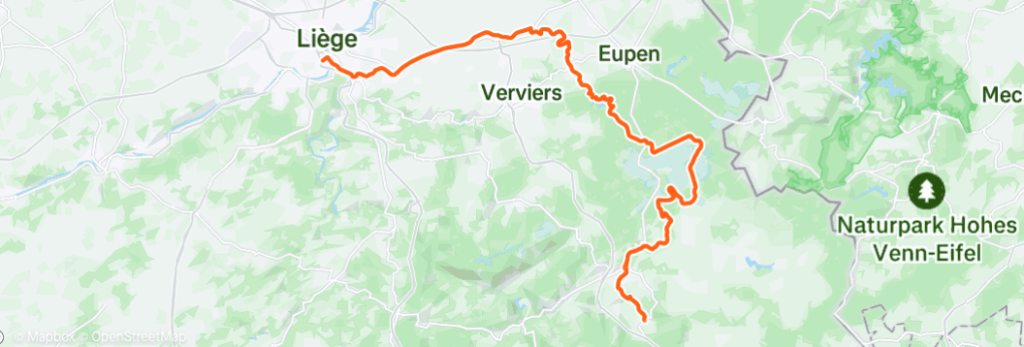
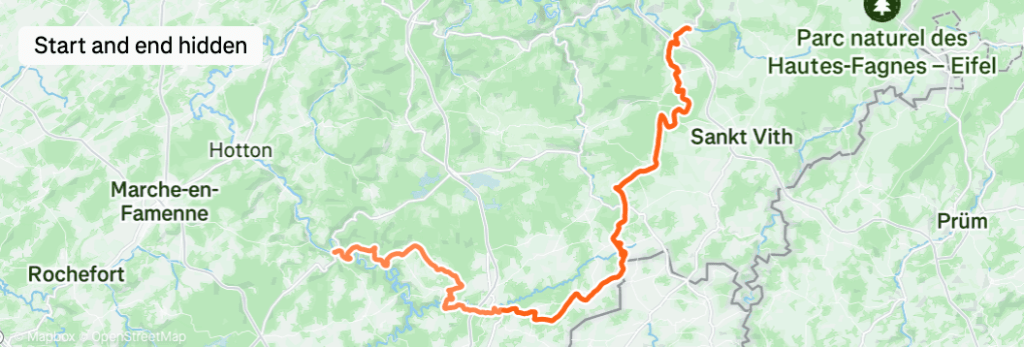
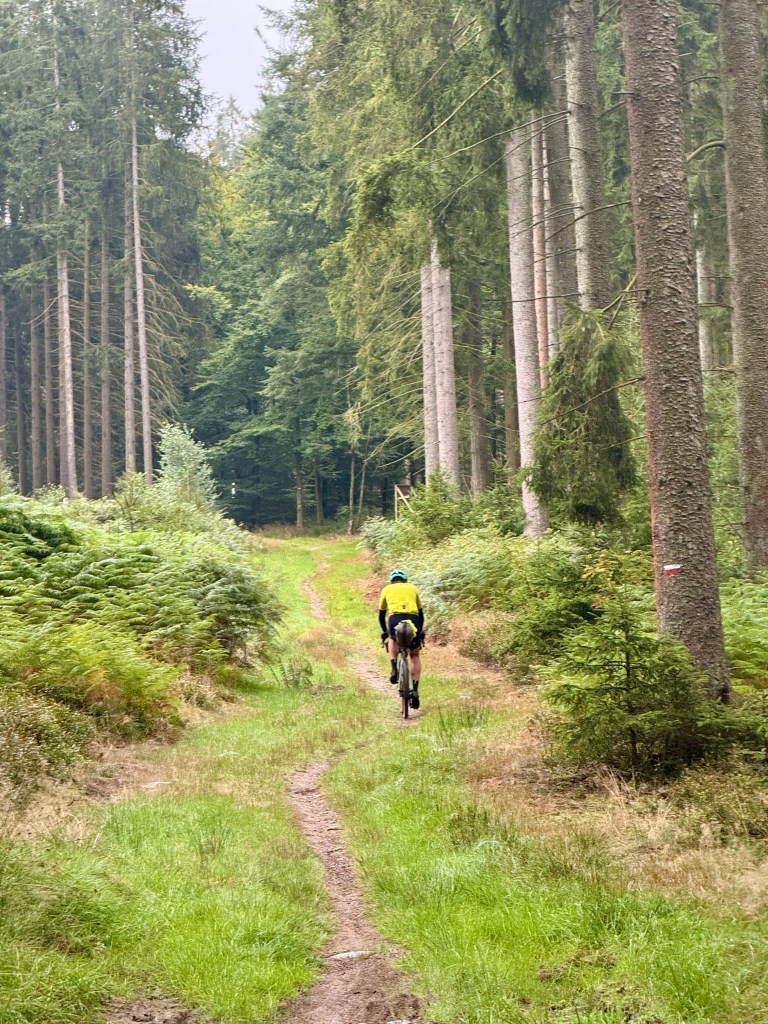
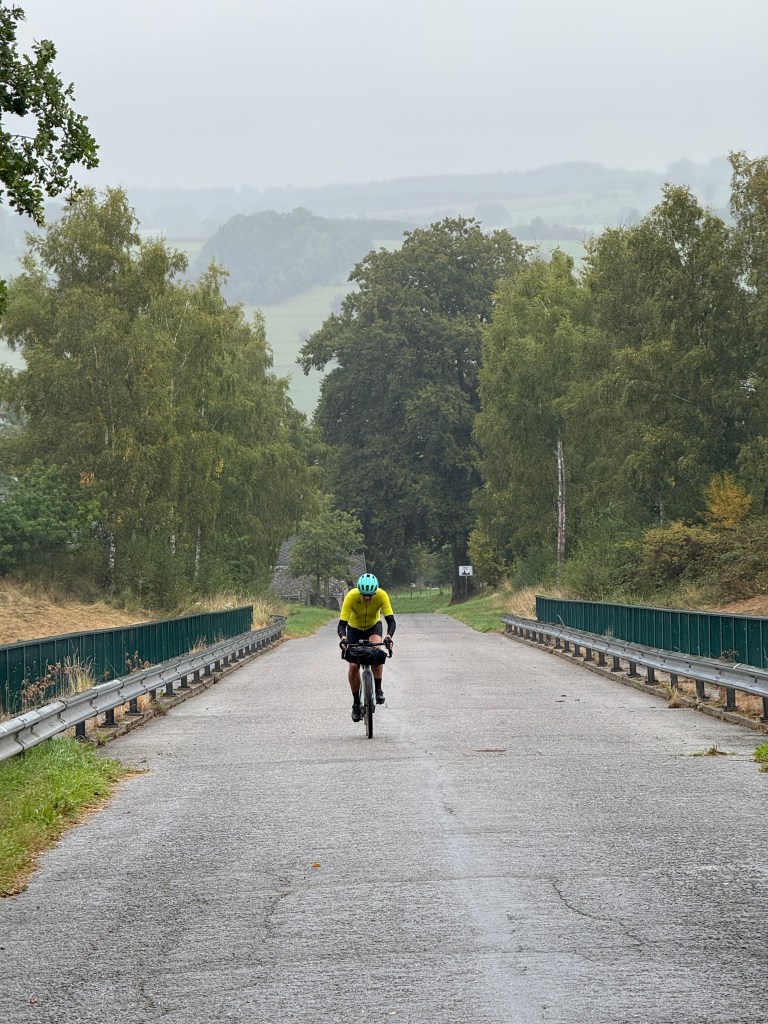
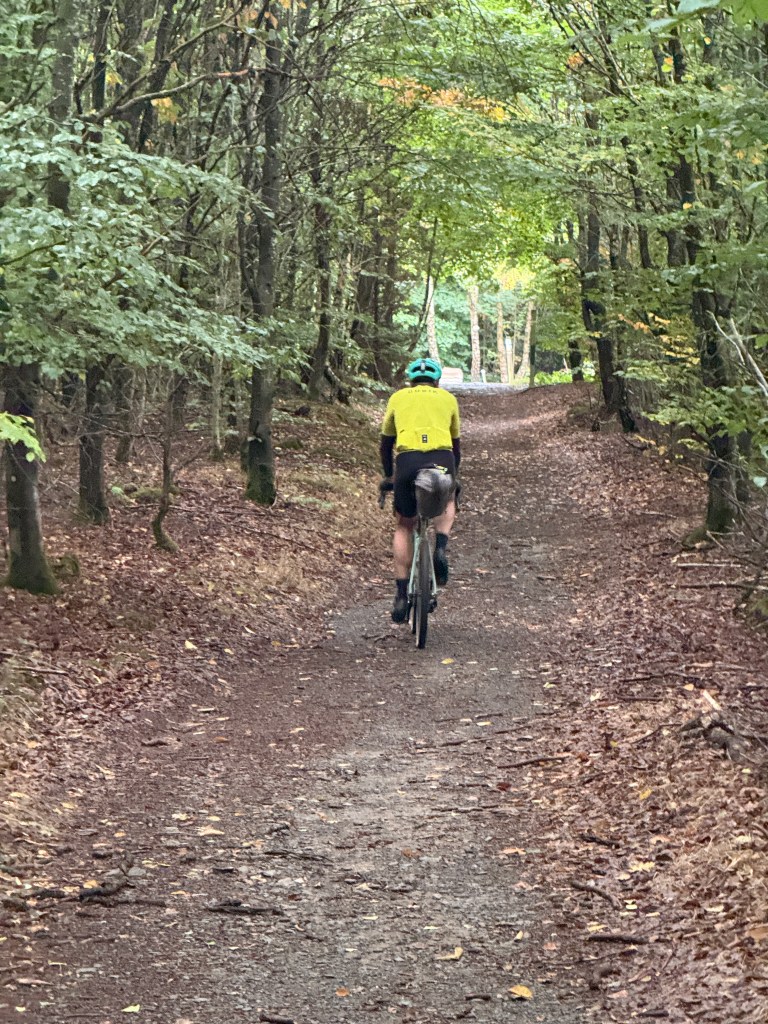
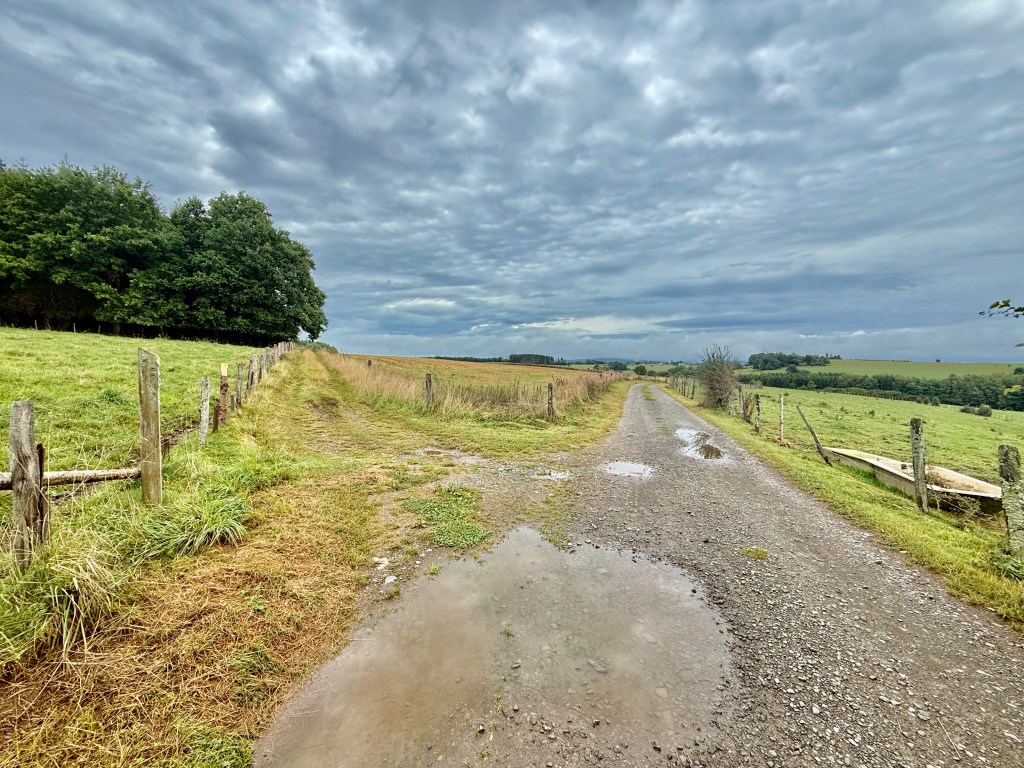
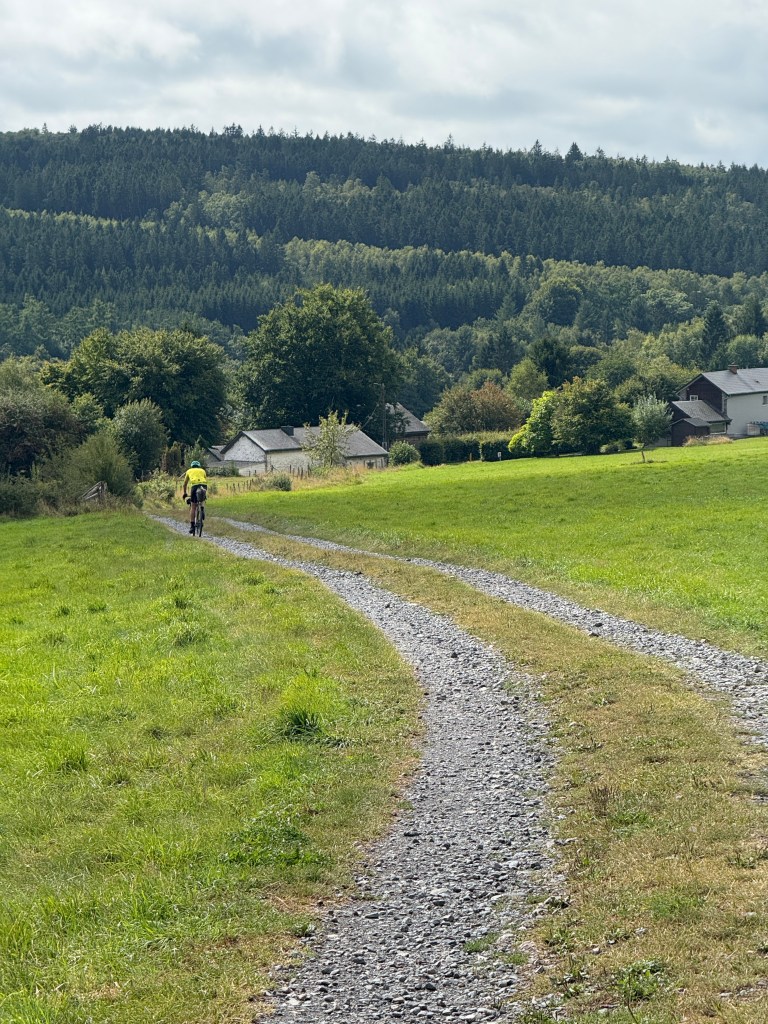
It was already in the plans for some time, and end of August 2025 it came to reality: a four-day bike trekking trip, together with Maarten, on the gravel bike.
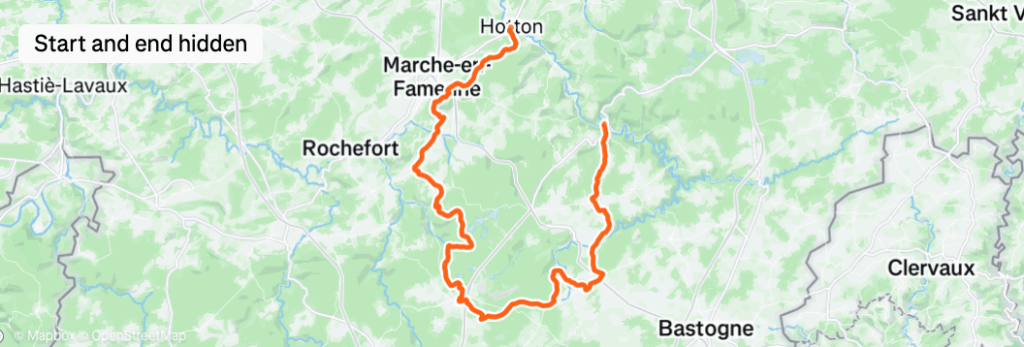
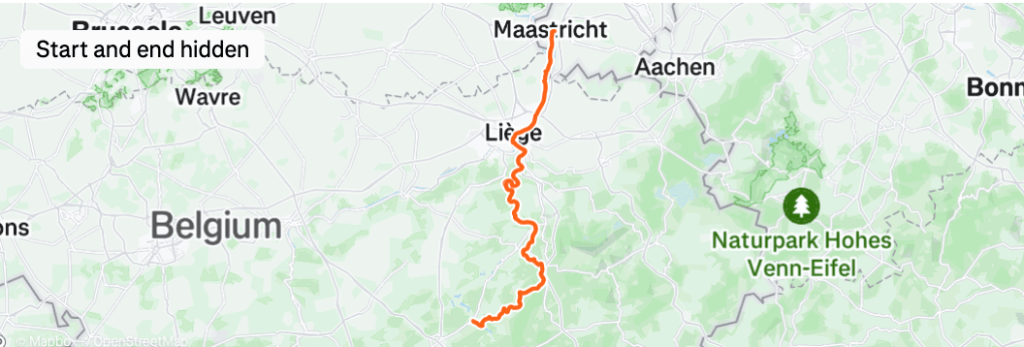
We chose the Arbalète route as we are always in for a good challenge. We already cycled three 200+ km road-cycling trips together this year, and this off-road route in a very challenging environment sounded like just what we needed. It ended up being an amazing, tiresome, photogenic and heavy effort!
Arbalète data
The plan
365 km
(Actually 370 km according to the GPX)
4-6 days
5890 altitude meters
68% unpaved, 5% hike-a-bike and 15% single track
>
Actual
407 km
(We extended the route to Maastricht)
4 days
5848 altitude meters (felt as more)
100% surely felt like that
Preparation
Personally, I find the preparation one of the best things of bike trekking. I love to nerd about what to bring, and especially what not to bring. Weighing t-shirts on my scale to save a few grams, contemplating about 2 or 3 spare tubes, bringing extra shoes (or not), and in general to think about the ‘system’ of packing.
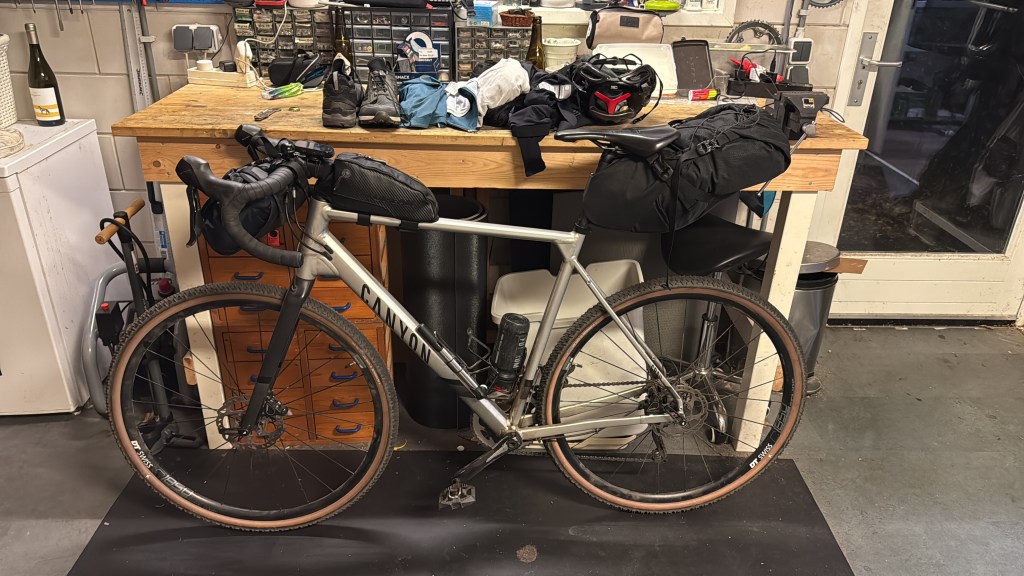
My system is quite straightforward: I have three major ‘packs’. The pack on the top-tube is for all the stuff I need direct access to, some energy bars, my phone (more about that later), spare tires and such. Next in line is the handlebar pack, here goes all the stuff that I might need in case of ’emergency’. Think of bike repair tools, a first aid kit and not to forget half a roll of toilet paper 🙂 Finally, in the largest pack, behind my saddle, I put everything else and especially the stuff I need for the nights. By the way, this pack from Topeak is nothing short of genius, with the vacuum valve and the strong straps it is one of my best buys I ever did in my cycling career.
This is not my first bike packing trip, as such I have a Google Keep list that I use for every trip. Every new trip I uncheck all the checked items from the previous trip and start packing again. And every trip I learn something new and I’ll update the list, for example remember to bring an extra pair of dry shoes this time around 😉
To be clear, our trip is in fact ‘bike-trekking’ not ‘bike-packing’. I learned that online somewhere, where bike packing is similar to bag-packing, you bring everything with you. Bike trekking is more ‘luxurious’ and can include hotels instead of staying overnight in a tent. This time we chose for hotels as the circumstances in the Ardennes are pretty challenging, bringing all that extra gear like tents, sleeping gear etc. would have made cycling the route in available 4 days nearly impossible.
Three packs and the outfit for day 1. Ready to go!
We took the 7:59 train from Eindhoven to Maastricht and hopped over to the Belgium train ending in Liège. Train rides in the Netherlands with a bike are never easy and always bring some discomfort, but this ride was surprisingly easy.
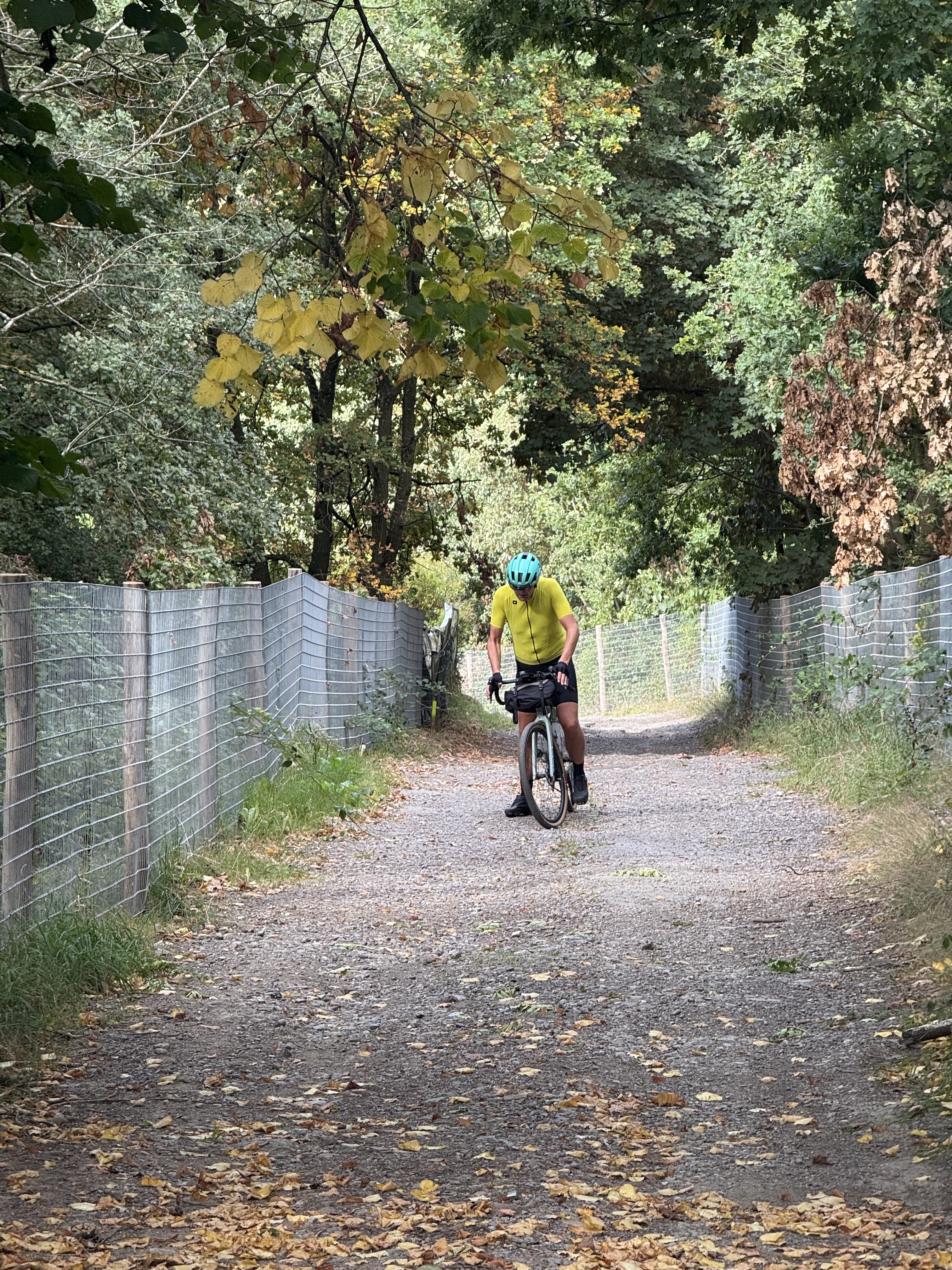
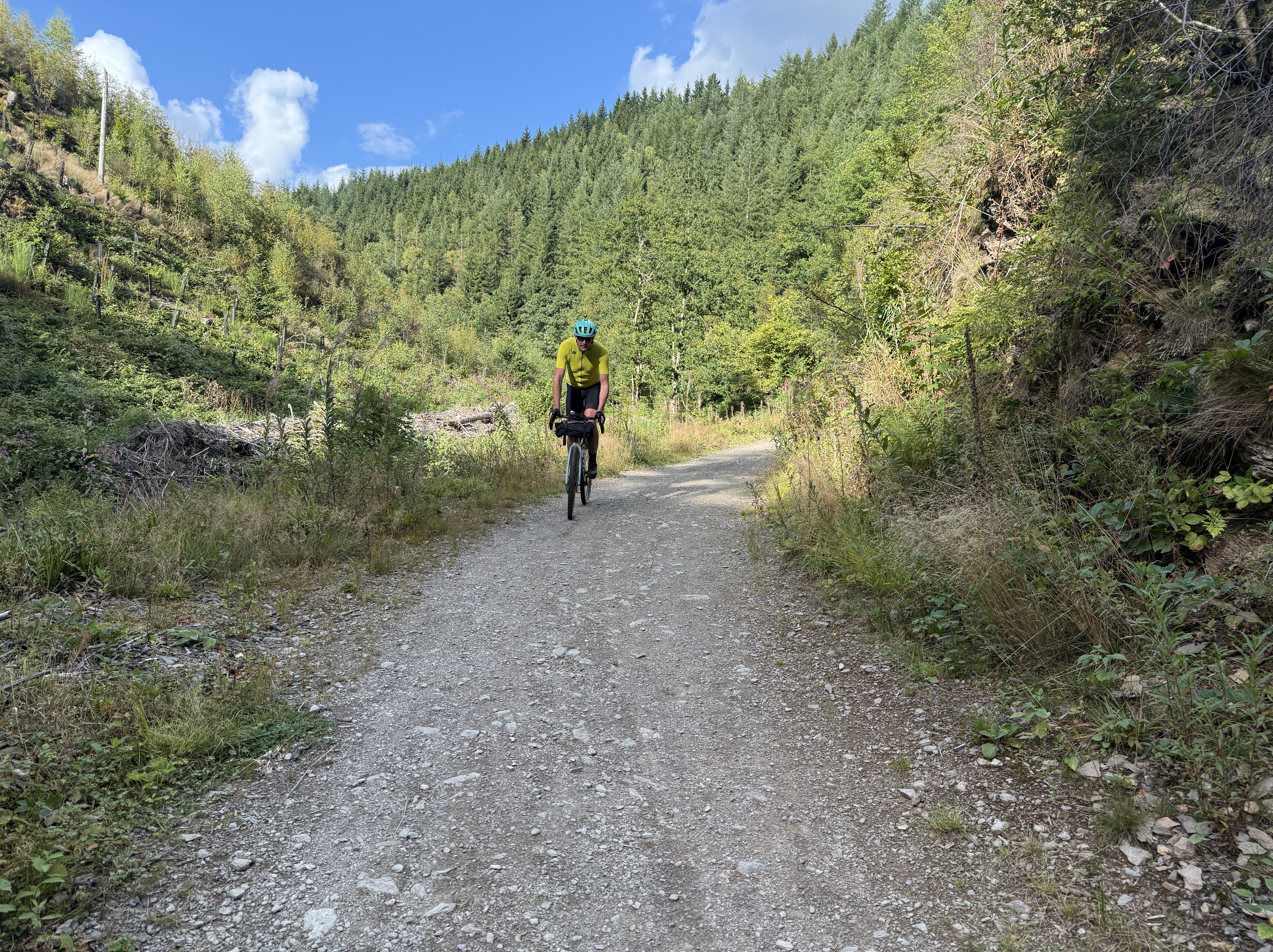
The first km’s on the bike were also easy, but that changed abruptly as soon as we hit the first uphill off-road climb. On a dirt road with often gradients above 20% we gave up pretty soon and hiked the bike up the hill. We looked at each other and thought, if this is the same for the rest of the rides, we’ll be home in about 4 months… Luckily, that was not the case, though we did get 5 to 10 similar climbs during our adventure.
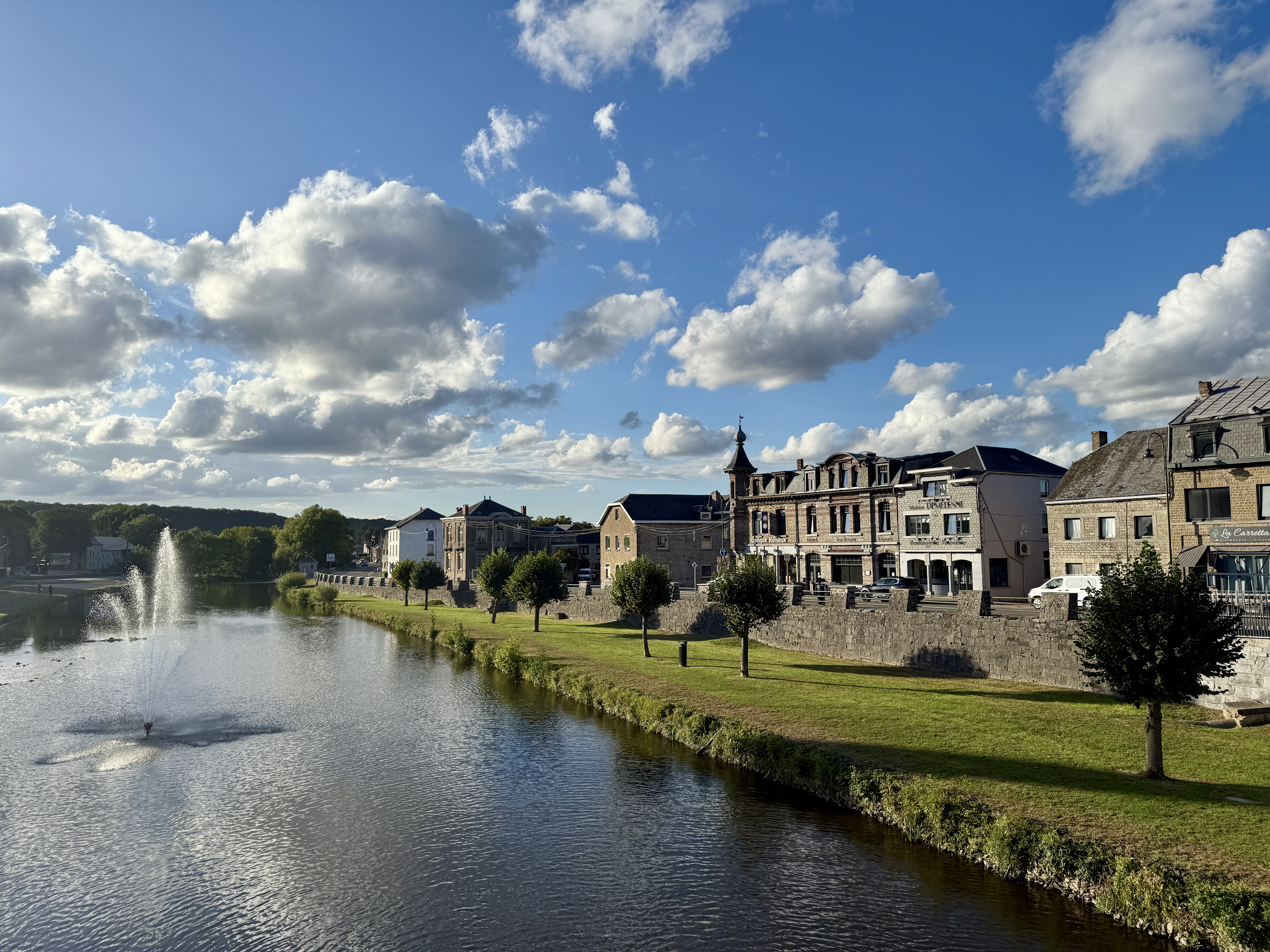
Over an old railway road (Ravel) and some beautiful forest roads we ended up in Dolhain for a lunch. We agreed we would compare and rate our lunches, dinners, and hotels over the next few days, and I can tell you this was the worst lunch of all. I’m not sure if it was my command of the French language, which is actually not that bad, but a chicken nugget on a sandwich with eggs and a lot, a lot of mayonnaise is not the best fuel for the rest of the ride.
After lunch we rode past the reservoir Lac de la Gileppe and had a beautiful on-road climb to the highest point of Belgium. The next part was even more stunning (pun intended); the Haute Fagnes, an awesome open area with heather, small ponds and sand. The real shock came when I realized I lost my phone there, only to figure out (after a frantic search along the dirt road) it had slipped inside my body-warmer and moved to the front of it. Big sigh, I aged at least 2 years those few minutes!
My relief lasted exactly 1 second, when I noticed I had a flat front tire… Fixing this is not an issue, however quickly I noticed I brought the wrong hand pump and CO2 cartridge holder. Luckily my bike companion is a part-time bike mechanic so without much hazzle we managed. But not before my mechanic realized he had a flat tire as well… Hopefully this was enough ‘mechanicals’ for one day, or preferably for the whole bike trip.
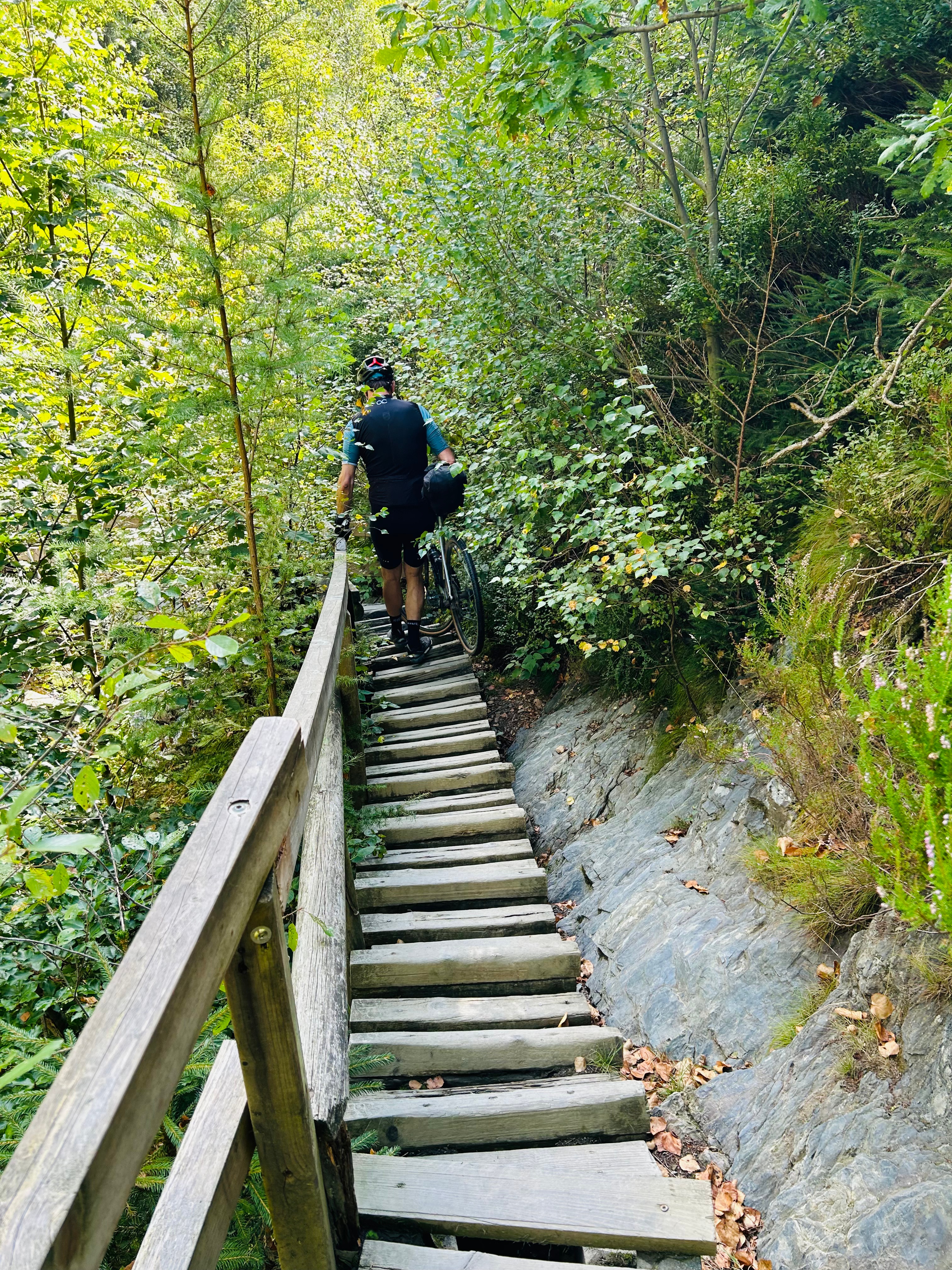
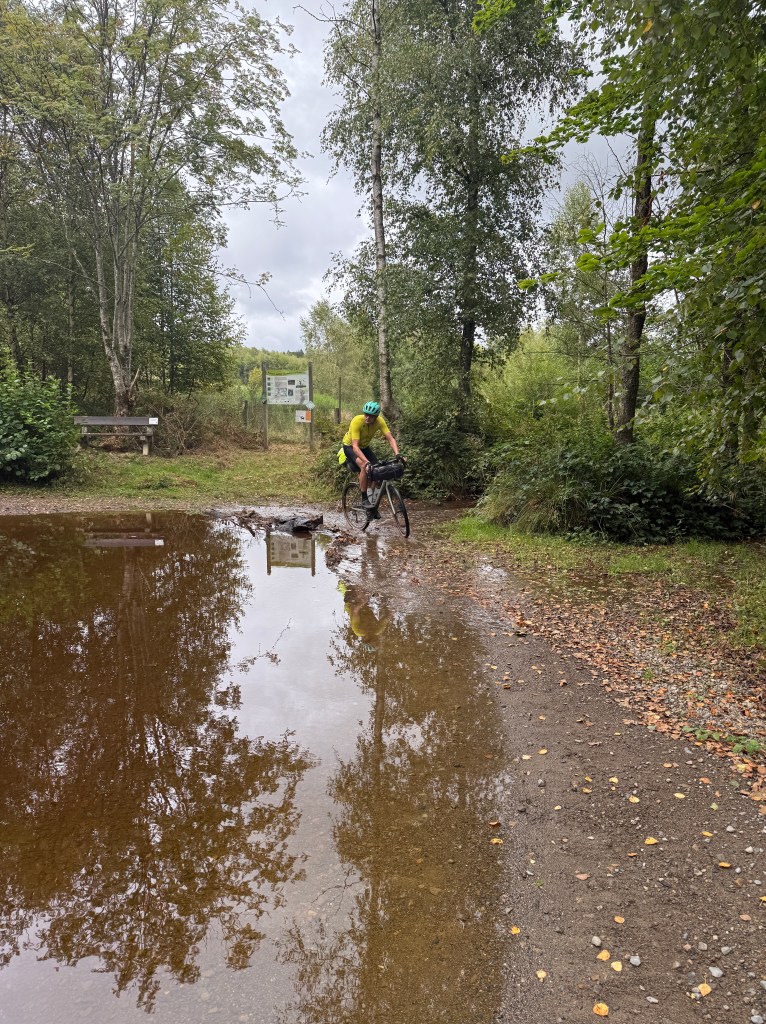
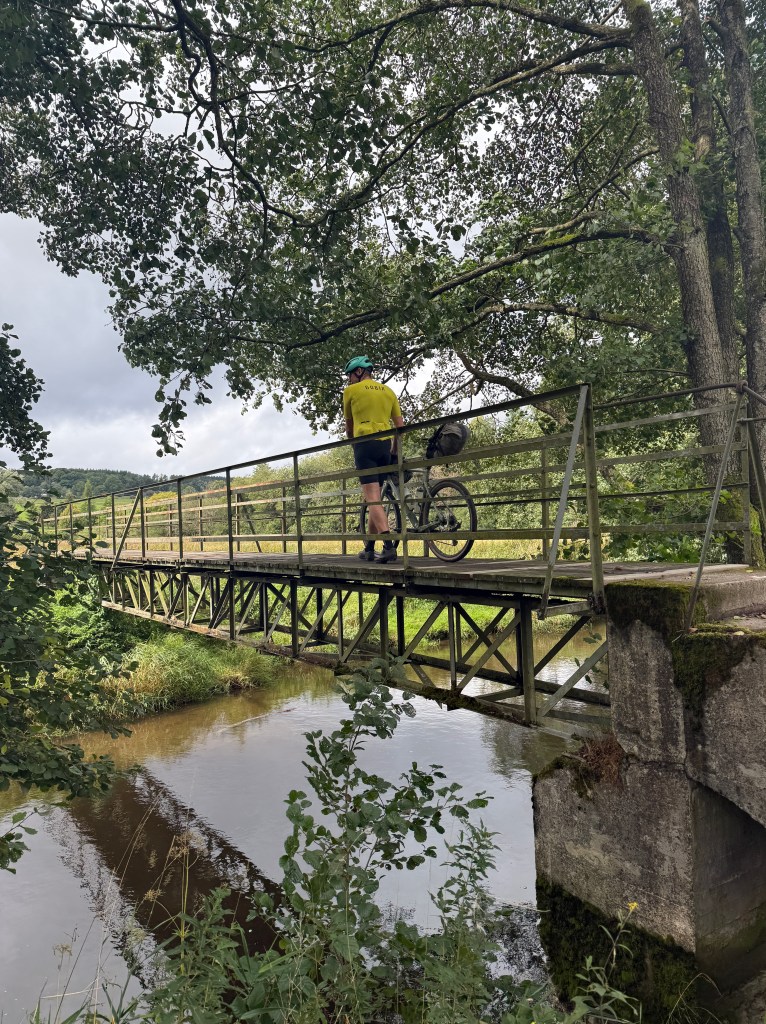
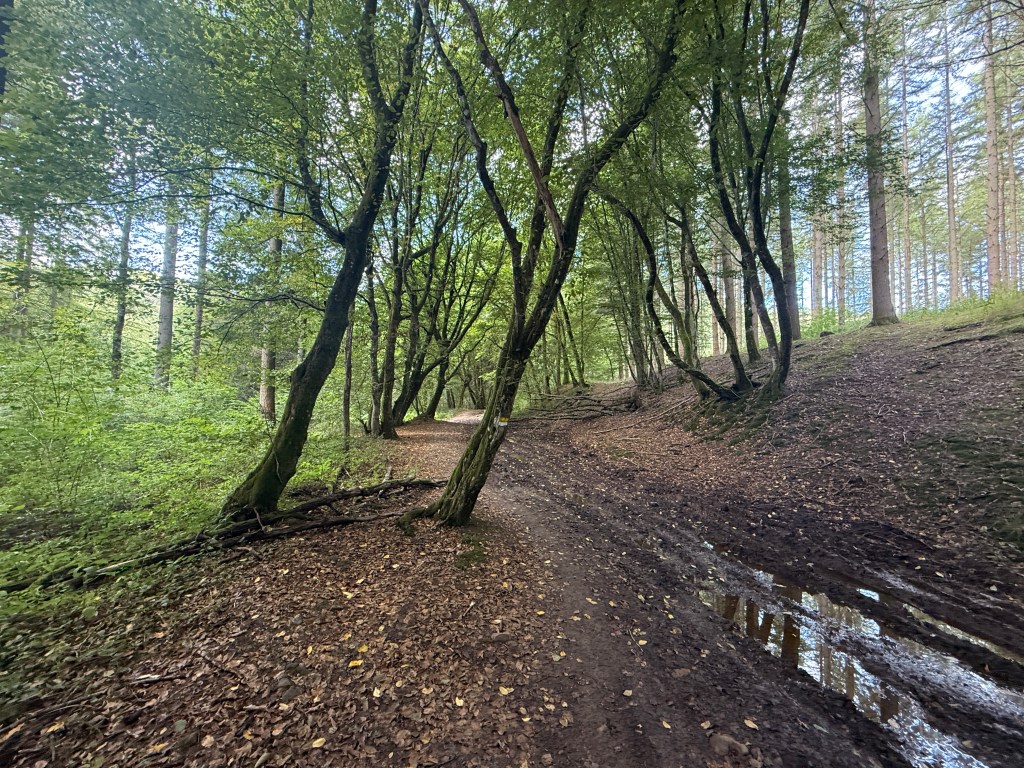
We continued to the actual highest point of Belgium, the Signal de Botrange. After a short break and an unsuccessful search for a good bike pump, we descended on what I consider one of the most beautiful trails I have ever cycled off-road. The road winds around a little river which you cross multiple times, sometimes through the water, sometimes via make-shift bridges. The scenery is breathtaking and without much effort you are in Malmedy in no-time.
Malmedy was the last town before our hotel, and luckily we were just in time to buy some extra bike supplies in a Trek bike-shop. Overpriced as usual off course, but now I had a decent pump and some more spare tubes and C02 cartridges. The last 10 km were challenging again through forest roads. In the end we reached our hotel in Ligneuville around 7 PM which was very close to the prediction.
The big benefit of cycling in Belgium is that there are good beers waiting at the end of a long day on the road! The hotel was so-so, in the end it ‘earned’ the last spot of our Bike trip hotel rating, but the staff was super-friendly, the food was good and the bikes were safe in the ‘party-room’!
Day 2 started with a decent breakfast in the hotel, together with a junior cycling team who were in the region for some races. It is impressive to see these 16 – 20 year old guys who all dream to become the next Remco Evenepoel, but likely none will make it to that level. Not for lack of trying though, they all weigh their breakfast on a scale!
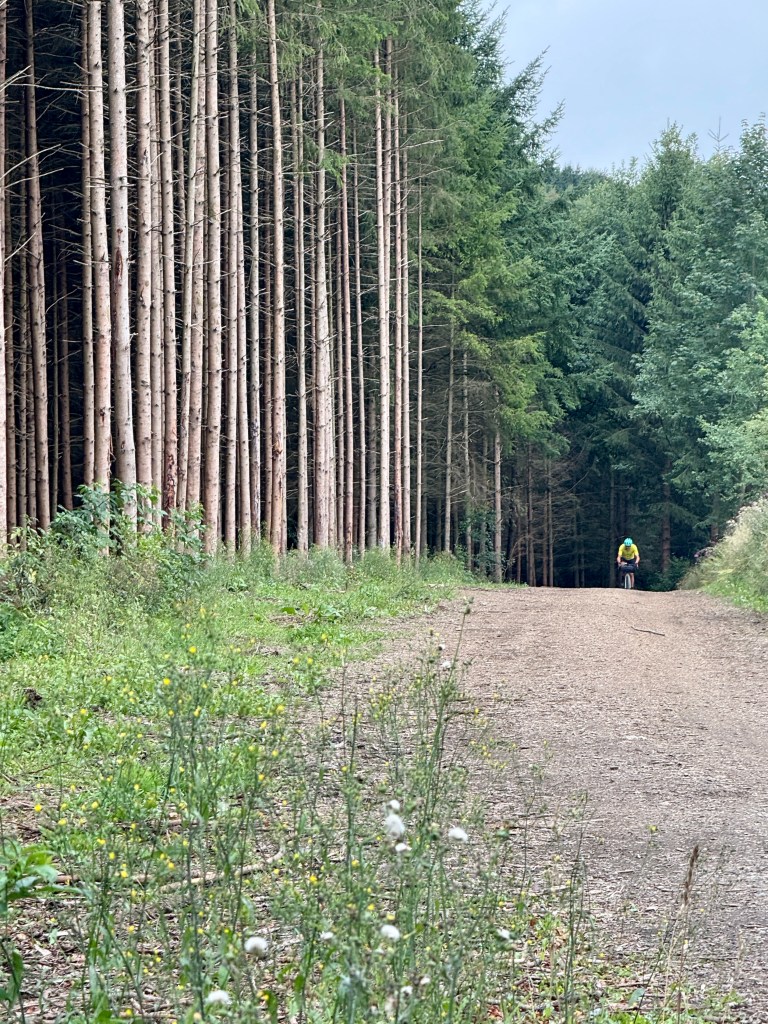
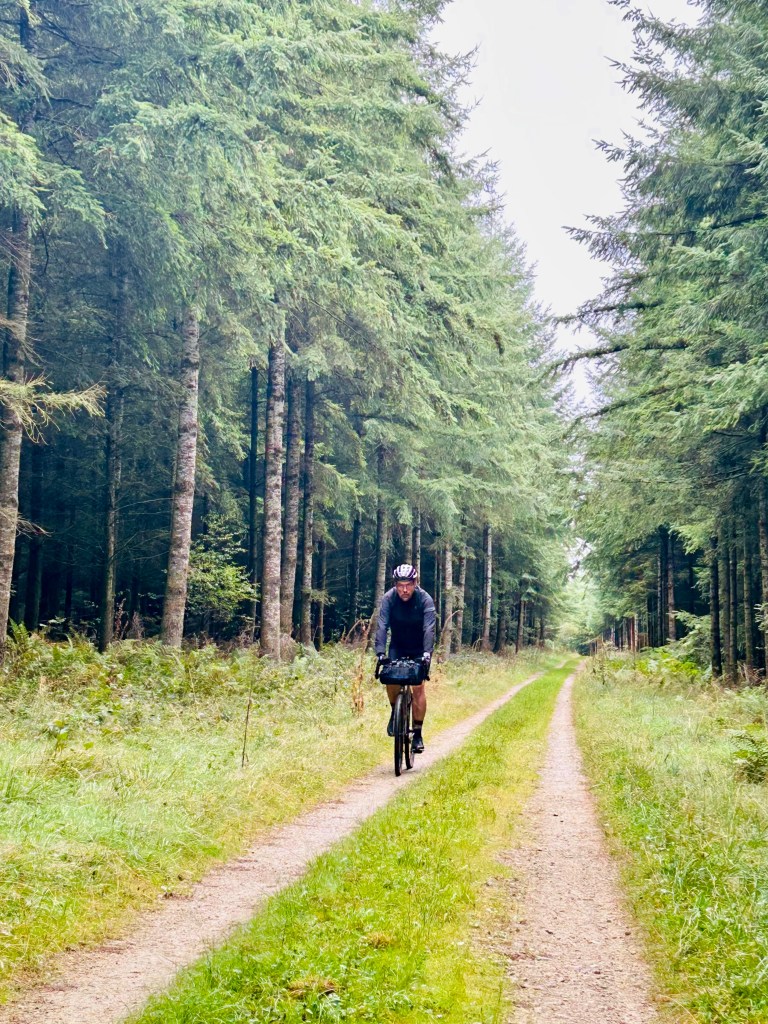
We started today’s ride in the rain which was something we prepared for, so full rain gear on and off we go. What also was to be expected; the first climb of every day is always impossible to conquer… The only difference being that this climb was actually on-road, but so steep we had to walk parts of it. The forest trail directly after was more than worth it, a beautiful road with a few deers roaming the dense forest, the Ardennes at its best.
The first goal of the day was coffee or lunch in Gouvy, depending on the time it took us to get there. It ended up to be none of the two, as this was the actual circuit where the road racing team from our hotel was competing. There were a lot of people on the side of the road, but all restaurants were closed. Just outside this small town was also the only time where we completely missed the route and ended up cycling along a railway track, but we blame Garmin for that. As a wise man once said: “It is never too late to start with a Garmin…”. 😉
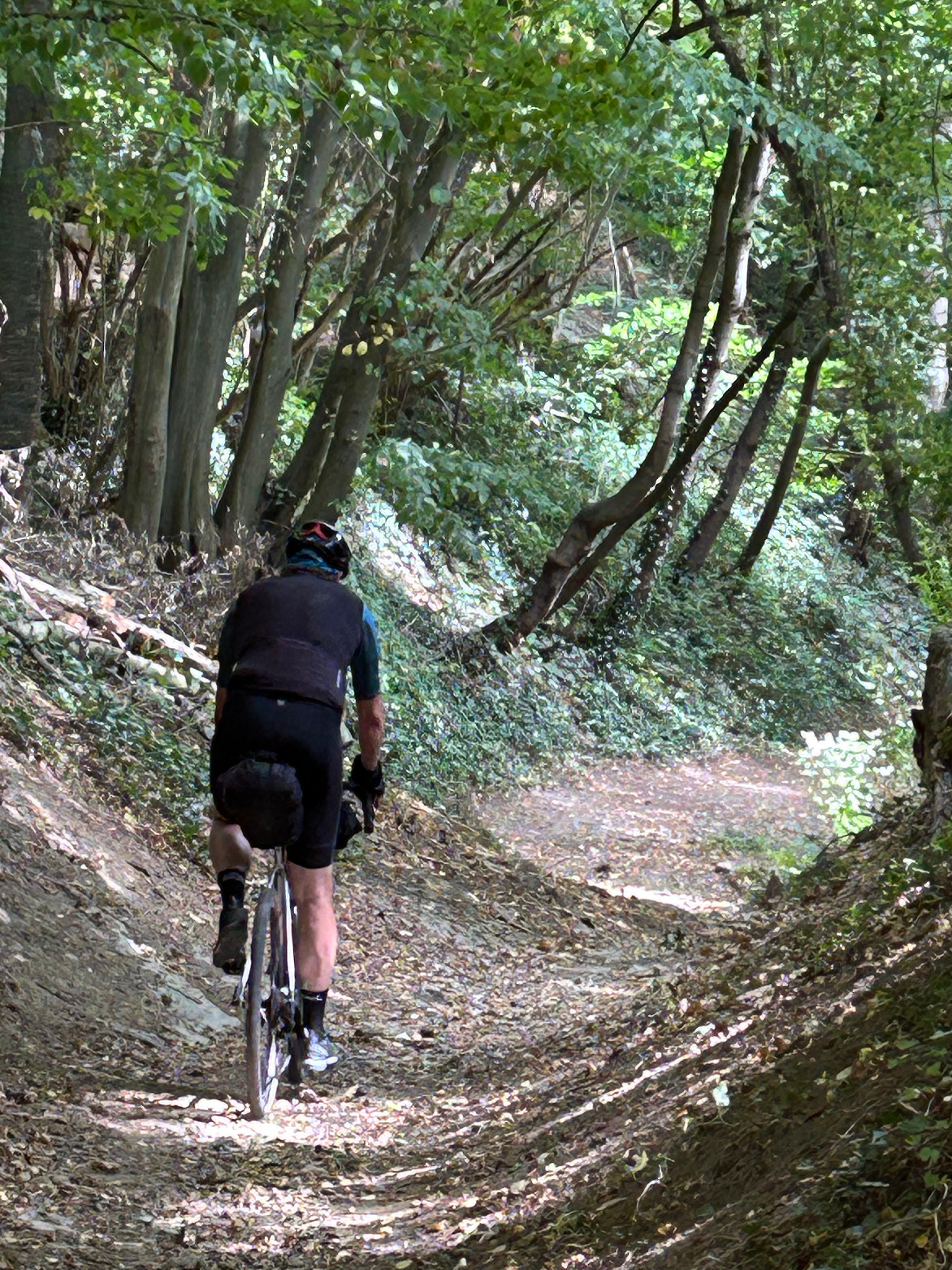
After a brief outing into Luxembourg, we cycled into MTB country. The roads around Houffalize are well-known for the challenging off-road routes, and surely we had a few on our route. A collection of very steep climbs and descents, rock gardens, tree roots that make your teeth fall out, we had it all! To be honest, if possible we skipped a few of those roads. But in general that was not possible, and we just grinned our teeth and pushed ourselves on the bike or off the bike up a hill. Good thing it stopped raining and even the sun came out in the late afternoon.
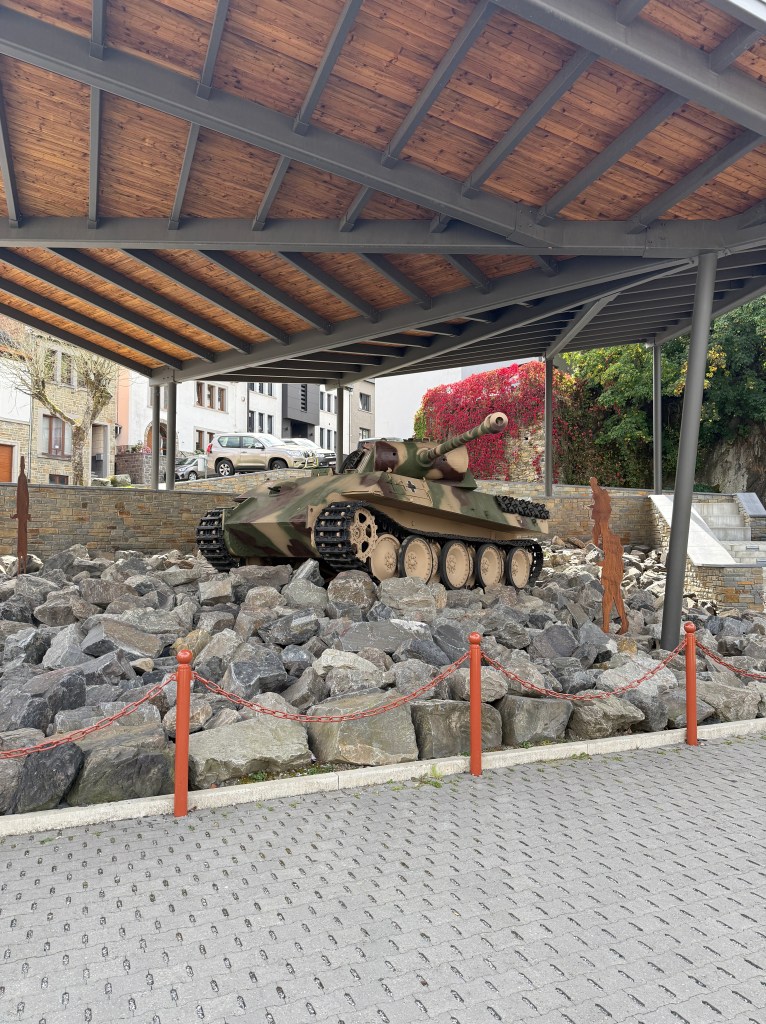
We had a late lunch in Houffalize, across the place where I stayed with my son Milo in December last year. Our ride went along the same route of the hike we did back then, so I knew what to expect, always a benefit! After some more beautiful forest roads, WW2 tanks and an encounter with a snake, we ended up at our destination for the day; La Roche en Ardennes. The hotel was a simple but decent B&B (nr. 2 on our end-list) and the town is big enough for some good food choices. Above all, we had a few Lupulus beers (from Gouvy!) at the pizza place, for sure for me ranked as the best beer of the bike trip and well deserved after quite a tough day!
Day 3 – the Queen stage! In distance the shortest but by climbing and terrain the toughest. After fixing yet another flat front tube by Maarten we leave La Roche en Ardennes, knowing the first climb will be TOUGH. Our Garmin Climbpro shows a deep-red section coming up, and man it was deep-red… Even on a MTB without packs this would be impossible! By now we are used that the first climb of every day is a hike-a-bike, and this one is no exception… After walking up for quite some time I realize my Garmin pauses and does not restart if you walk so slowly. At least now we know the difference between the data of my ride and that from my companion.
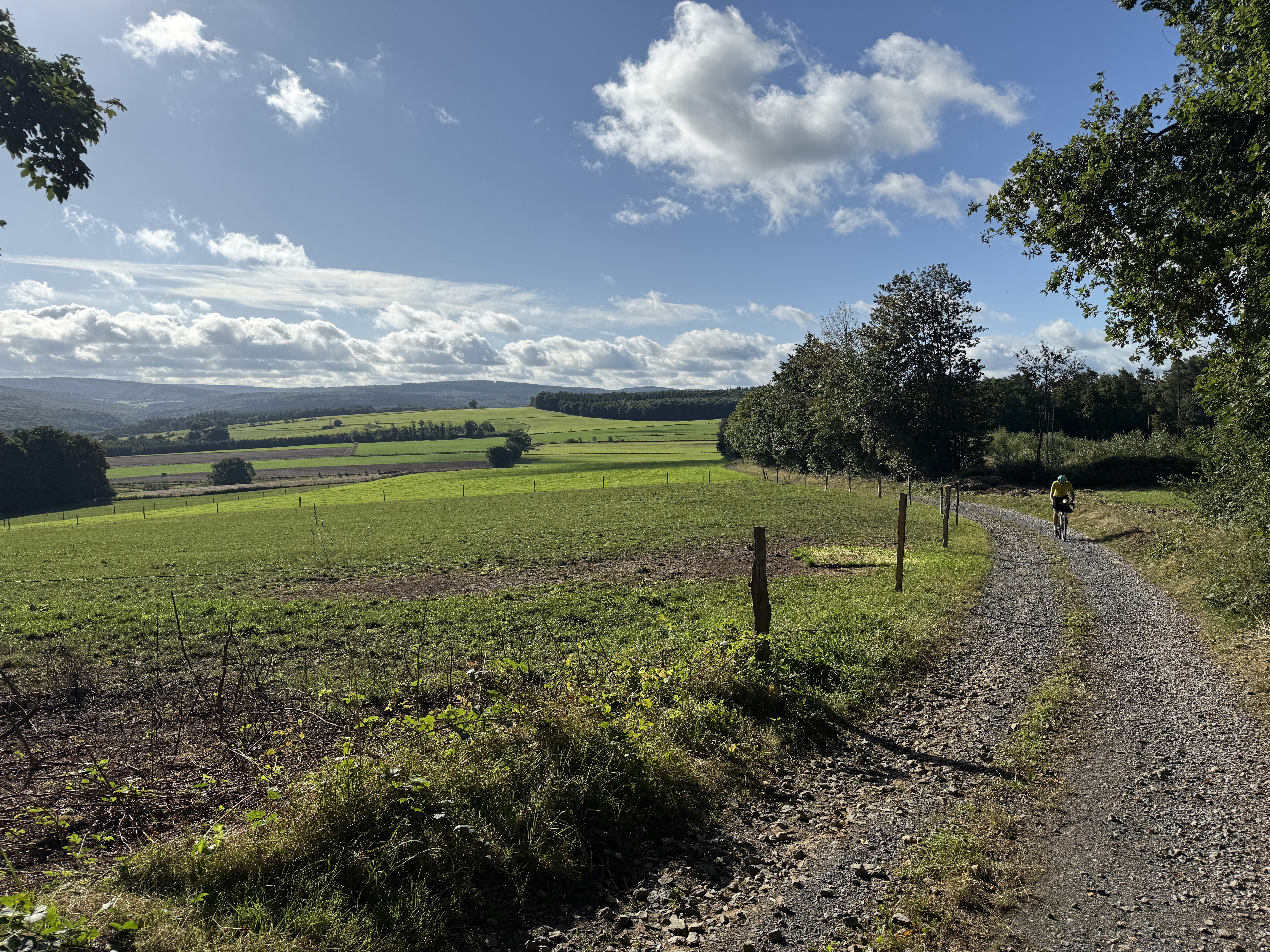
Today’s ride has quite a few nice forest roads along the fields in the middle of nowhere, but for some reason the only wildlife we see today is a squirrel. Besides that, we do see a lot of climbs on very difficult terrain. Just imagine you are cycling up a dirt road above 10% for a few kilometers, only to turn left into a small forest road leading up to 20%, ending up at a section with eroded patches with rocks, roots and overhanging trees…. But I made it to the top without walking!
After a terrible descent (the Arbalète almost never rewards you after a tough climb), we come up with the idea to classify the Ardennes off-roads into 5 categories, similar to the cobble-stone sections from Paris-Roubaix, where 1 star is easy and 5 stars is: ‘You’re gonna break things – either from you or your bike’
1 star – descent gravel, small pebbles – similar to what you’ll find in the Netherlands
2 stars – some larger rocks, a bit of discomfort but in general smooth rolling
3 stars – rocks and tree roots, but quite often easy to circumvent or roll over
4 stars – a lot of rocks and roots you have to take on, meanwhile wondering about the strength of your bike, and yourself…
5 stars – very tough, hoping every second it will end soon. Slipping and sliding and continuously thinking: ‘This can’t be good for my health…’
From my memory (for which I do realize you tend to forget the pain quite quickly – that is why you can continue to cycle), perhaps 15 roads during the 4 days were 5 stars. It hardly ever happened it was one star. This is not the Netherlands!
Around noon we lunch in the cute town of St. Hubert (lunch rating – best of the 4 days) at a nice ‘Sandwhicherie’ at the main square. Afterwards we have some more tough roads including a 5-star descent where I must have lost all my tooth fillings, but we push through. Via more forest dirt roads, small bridges, and country roads we come close to our destination for the day: Hotton. We encounter with the route a fence blocked private road where we decide to take the alternative asphalt road and stay on those comfortable roads till we reach our destination. You never realize how much you appreciate asphalt after such a day on the off-road!
Regarding the hotel, this was the best one of the three nights. We even have the opportunity to clean our bikes and hang our clothes to dry in the garden, where there is still some evening sun. I have only brought two bike outfits for 4 days, meaning I need to wash one every day at the end of a ride. However, drying them is a bit slower than I expected, making this usually the first priority when arriving at a destination and the last item to pack the next day. I have made some updates on my Google Keep list to be better prepared the next time.
The ride on Day 4 starts with a premiere, the first climb is actually ride-able! We are up for a nice day in the saddle, we think… Most of the forest roads are beautifully wandering along fields with cows and horses, and we skip one steep climb which is really too much for us in the early morning. Instead we find quickly a detour, which is still steep and off-road, but at least ride-able. After a few days we firmly believe sometimes we deserve something easier 🙂
We do think we have ‘played and completed all levels’ of the Ardennes, as we have seen all the landscape variations, terrain types and difficulties, but it still sometimes surprises us. At times, you think you will arrive at the top of a hill soon, only to discover it only gets steeper and runs for ‘just a bit more’. The benefit however is that in most cases you do see the end of your suffering, so there is always something to aim for.
After a pasta lunch in Ferrières (ranking 3 out of 4) we know we are nearing the end of the climbs. The Garmin Climbpro only gives one more deep-red climb before we hit the river Ourthe, which will guide us towards our start- and endpoint of Liège. This climb from the small village Comblain-au-Pont is for sure a hike-a-bike for the first part, but afterwards it gets better. We are happy that after a descent we will probably cycle on a riverside bike-path towards the train station in Liège. At least that is what we think…
Indeed, the first part is like that, but then we hit an off-road patch which in my humble opinion should be taken out of the route. It starts with a riverside single track where it is a challenge not to fall into the Ourthe river or into the bushes, but at least it is ride-able, we discover later. The next stretch has some fallen trees you have to climb over with your heavy bike, but still you think it will get better. It didn’t…. after some time you have climbed over so many fallen trees that it also does not make sense to go back again. You only hope it will end soon! Meanwhile on the other side of the Ourthe, between Esneux and Fechereux, there is a bike-path where you see people cycling happily and not having a clue about our demise. It seemed we did not ‘finish all levels’ just yet 😆
After this final challenge we stay on the riverside bike-path all the way to Liège central station. During that part I remembered you cannot take your bike during rush hours in Dutch trains, and we arrive at the station around 17:15. Even though this is Belgium, the chance is very high they will kick us off the train in Maastricht. With some re-found energy we decide to continue along the Maas river towards the Netherlands. This will nicely bridge that rush hour time-gap from 17:00 till 19:00. And yes, after a relaxing ride, even though through some horrible industrial areas (such a stark contrast with the beauty of the Ardennes!) we arrive at Maastricht CS around 19:30. Just in time to take the 20:00 train arriving in Eindhoven around 21:00. Finally home after 4 fantastic days on the off-road!
In the end
The Arbalète is a beautiful ride through challenging yet astonishing terrain. The promise of a beer around every corner is not exactly true, but I fully acknowledge the ‘great beer after every ride’ statement, especially for the Lupulus. Hotels are quite easy to find, only be careful to select those including breakfast, which otherwise can be hard to find in the middle of nowhere. What I liked about the route is that we could find decent sizes towns for dinner, drinks, and sleep when you cut the route in 4 equal parts, and you often enough pass through little towns for lunch or supplies during the day.
The website, where we found the route on, states it is a 6 out of 10 in terms of ‘difficulty’. I’m not sure how that is calculated but if 10 is nearly impossible to bike and 1 is biking in the Netherlands, I can agree with a 6. Some parts were close to a 10 but we also had enough asphalt roads (33% in total according to Strava) to recover.
In the end, we had 4 flats, 1 thorn in my front wheel and 3 times a slow puncture for Maarten (needs new tires?). I’m still amazed with only those mechanicals, if I look at the terrain, the sharp rocks, and the amount of punches and strikes the bike (and rider) suffered.
Data for nerds
Day 1
Day 2
Day 3
Day 4
Total
Distance
105,27 km
92,02 km
90,16 km
119,18 km
406,63 km
Cycling time
5h 50m
5h 41m
5h 58m
7h 30m
24h 59m
Average
18,1 km/h
16,2 km/h
15,1 km/h
16,8 km/h
16,6 km/h
Climb*
1374 hm
1451 hm
1674 hm
1349 hm
5848 hm
Max speed
46,9 km/h
50,0 km/h
53,7 km/h
56,3 km/h
–
Max HR*
167 BPM
153 BPM
158 BPM
157 BPM
–
Total time %*
147%
141%
129%
140%
139%
Climb – my Garmin goes on pause if I stop and only starts again at a reasonable speed. That means when hiking a bike up a hill it is not recording. I only discovered this on day 3 at the first climb (walk) which means I do not record a couple of 100 altitude meters per ride, but believe me I did feel them… 🙂
Max HR – I’m always intrigued by the HR ‘fatigue’, or in other words, getting more tired over the days when riding. Assuming that I push myself each day to the max on these steep hills, I would like to see what my regular heartrate drop is over the days. It is not clear from the data though, except day 1 shows more ‘freshness’ (duh)
Total time % is a formula I use for all my long distance rides and bike packing trips. Over the years I track and calculate how much time we actually spend by taking photos, catching your breath at a hill-top, hike-a-bike, lunch, mechanicals etc. For long distance rides I always take +25% of the ride time, calculated by an estimate average km/h. For bike packing I take +50%, which means if we intend to ride 18 km/h (actually our goal was 20 km/h this trip!) we’ll take 12 km/h (+50%) as a rule and with a 105 km ride on the first day that equates roughly to 8h 45m in total. Handy to know if you need to be at your hotel in time, and it was surprisingly accurate during this trip!
There are a bunch of words, quotes, and technical terms that I learn every day in a post, article or somewhere else. Words that seem to become the new industry jargon, words that are re-hashed for AI, and words that are often being accompanied as ‘this [word] is the new truth’.
Below is my collection of those words…
Upskill
Upskill seems to be a word everywhere. Articles are referring to it with a certain haste and also some ‘try to follow me’. It often feels like “you’re running behind, everyone is overtaking you” – YOU HAVE TO UPSKILL NOW!
While it is true, and ‘upskilling’ is needed for anything you want to learn, I do prefer something more motivating and enticing on what you already know and are. To me it feels more like running behind rather than running on what you already have.
S-REF
S-REF stands for Style Reference, a method to apply an existing style to a new image. The only reason why I place this word in this article is because it is was mentioned to me as the BIG GAME CHANGER. This is not the first words that I heard with this reference, and while I do understand it is a great step forward, it is simply overwhelming to keep track where to place your bet on.
Words that describe how people behave, control, oversee AI
One of my biggest reasons to be in this field, is trying to make sense from a senior design leadership position what AI is in relation to creativity and designers. In many articles I read, I come across definitions of what we should be or should add. Here are some words, not in order:
Critical thinker
Curious thinker
Sense (maker)
Fingerspitzengefuhler
Identifiers of … (.whatever others, mostly AI tools, do not see, feel or touch)
Mental modeler
Judge (Judgment of the input and output)
Navigator
Design engineer
Super ICs (Individual Contributors)
Soul provider
Decision maker
There is also one that I came up with: “Thinker outside the tool”. Similar to the popular phrase ‘thinking outside the box’. My stance is that the tools and technology are dominating the public discussions and I would like us to critically think, yet stay curious, about why we create.
Mono culture
This was the main thing I noticed when we had a presentation about Figma Make (the AI design solution from Figma): while it says designers can now explore more, it looked far more moving further on a single path you keep exploring further and further.
What I see is; you start with something, you fine tune, you prompt, you improve it some more, but you stay pretty much on the path you’re on. Convergence is key as AI is limited in coming up with something new. It combines a lot of homogeneous or dominant knowledge into a data model, pushing it towards monotonous solutions and self biasing it even more when learning from it.
Mono culture also is sometimes explained as being ‘soulless’, as described in this article. where it describes AI only delivered cliches.
AI apocalypse
A term to phrase the tsunami of AI developments coming our way, spiraling out of control and devouring us ‘simple’ human beings. “Stop AI or we are all gonna die”, and more of those catch phrases.
While I believe that there is definitely a lot coming our way, and we simply can’t keep up. I’m doubting if it will overtake us. Please read this excellent article about building a shared consciousness and a new culture by Zak El Fassi, stating what I believe in. AI will (dramatically?) change our culture, but not overtake it.
You don’t know what you don’t know
This statement always have been mind-boggling to me, including the other 3 variants like ‘Knowing what you don’t know”. But this one clearly describes the current trend in AI:
As Marty Cagan puts it in this article about people that “they are not yet aware of what they don’t know”. It nicely describes the state we are in and why everyone has a point and is selling BS all at once.
Intelligence Amplification
This one was taken from this article: We’re accidentally building a collective intelligence amplification loop. Each human-AI collaboration creates outputs that make the next collaboration more sophisticated.
I like the term IA (Intelligence Amplification) more than AI (Artificial Intelligence) , as it is HUMAN FIRST. The AI amplifies OUR intelligence, sound better to me!
AI won’t replace people. But people who harness AI will replace those who don’t
I have heard this quote, by Ginni Rometty, Former CEO of IBM, over and over again. I hate it..
It comes across as a phishing mail with an urgency that unsettles a lot of good, decent humans. It might be true that quite a lot of people will loose their jobs to AI (see for example this article). I do hope that those people will be able to then focus on what they stand out in, being f-ing human.
While I’m not a beginner with Design tools, and I have been using Figma for over a year or more, I never took the time to understand the basics and build my knowledge from there.
Instead, as time and responsibility pressure mounted, my design work changed to team leadership and strategy. When I used Figma, I was reviewing designs created by my team members.
Now, while exploring new opportunities, this is the right time to start bottom-up. I’m keen to share my progress and understanding when training via online tutorials. When learning, I am always thinking as a designer. What would I use in my own designs and strategy, what would I never use, and what are my own design principles that apply here.
The first Figma YouTube movie I watch, is already from 2019. At that time I was still busy in Adobe Illustrator and making a first few steps into Sketch (but not even sure about that). See the bottom section for playlists and tutorials I watched while adding my notes in this blog-post.
Highlights
These concepts brought a smile to my (designer) face.
Systemic thinking
Figma means having a systemic design approach. You can re-use other libraries that need to be found, selected, and moved into your project. Normally, standard copy-paste from another file would be easier, if it was only you, but since you are designing ‘in a system’ you have to think about ‘others’. It is an interesting mindset change for many designers, I wonder if this also stops the difficulty of using other’s design files.
Components and instances are an example of systemic design approach and related to the Design Systems we have nowadays.
Smart affordances
I’m always a fan of UI’s where the action and object of attention are close to each other. Somehow it feels elegant, even though it is logical. With the Figma plug-ins being available by clicking on an object that uses that plug-in, it does this really well. A plug-in ‘might’ sound like a remote tool, but placing its access right where you need it makes the UI feel harmonious.
As well, I do appreciate when a simple indication is being given to show the state of something, like a color outline. Showing the difference between a normal element on screen with a blue highlight, and a purple highlight for a library component, is such a simple but useful low-cognitive-load solution. Once you learn it you can’t make it unseen again! By the way, what is also striking, purple seems to have become the de-facto color of system intelligence, like AI or Design system libraries.
Smart behaviors
Smart behaviors help you appreciate the application even more and give you a SPARKLE moment.
For example: I already knew typing “FFF” and “000” for quickly getting white or black colors. But it turns out even simpler, just an “F” or “0” applies! I’m not sure if that is common to other tools as well, but when seen in this application is shows that nice little detail that people thought about making your life easier. When seen first in this application, you also associate this, and other system smartness
In the same context, I like the Ungroup action. In my other applications, I’m used to having content just being ungrouped, but in Figma this also reverts certain actions you did to that group, like auto-layout or boolean operations. That is a nice and safe way out of trouble!
There are a few more examples, like the ‘Ignore auto-layout’ function, that quickly helps you doing things without messing up the whole frame. Or selecting all similar instances with a button, which by the way is a function I have also seen in Adobe Illustrator or other applications
Use of metaphors
Metaphors helps you explain new concepts in a way already known to you, but in a novel way which immediately strikes as familiar.
‘Hug’ is a such a new concept, and it directly starts to makes sense if you use the metaphor that a parent hugs the child, like the container (parent) hugs the content (child). And the ‘Fill’ concept makes the child fill the parent, aka in real life: fill with joy, fill with anger 🙂 It is OK if you make up your own metaphors, in the end it is you that provides meaning to things you learn.
Low lights
Next to all the happy joy-joy concepts that I came across on my journey, as a designer I’m always critical and searching for better solutions with a curious mind.
Mindset challenge
One of the challenges that I have starting Figma is the mindset change you need to have as a designer. It seems more focused on production with a more systematic design approach. Setting up an auto-layout, making design responsive, and making sure everything is ‘ready for dev’ is different to what I’m used to. The tool starts dictating the creative input and output. Or, as this article puts it: “Figma made layout way easier than what came before it (Sketch, Photoshop, etc.). But somewhere along the way, UI layout became the show. Every design task became a UI task. Our value started being measured by how many polished screens we could ship to a dev, not by how well we shaped the underlying solution.”
Too similar concepts
Similar concepts, which are not quite the same, make any tool hard to grasp… Frames and Groups are such an example. The difference being that Groups have no properties, and Frames can have them. These concepts are close enough and can both be used for quite similar purposes, like organizing content. From my own experience, I know concepts that are too similar will be mixed up because the difference is not easily remembered.. Normally, it will become a matter of preference, e.g. the concept you start from will be used forever. The same principle applies to Sections and Frames, where Sections are for organizing and Frames are for content.
Everything is ‘out there’
What is sometimes scary with online tools, is that they are online (pun intended). You have no clue if others can see your work, or even get notified and spammed unintentionally. In my daily work I often get updates from files I’m apparently following, or get invites to files or projects, or new members (some I don’t even know in my organisation) wants to join a project.
In the Figma video tutorial there is a space called Drafts, and till date I did not notice it. Now I see this is a personal sketchbook space where some of my work is located (but not all, some are already in projects visible to others). In that sense, it would be best if the UI clearly differentiates between local, online personal and online collaboration, which is not the case right now. It feels like a Reply to All action waiting to happen, while in this case it is only ‘a message to yourself’ 😉
Adjust anywhere
In Figma features like constraints can be applied anywhere, without a clear reference to the parent. This is something I have seen before in this design tool. Values like transparency can be applied to so many layers of parents and children that is very hard to adjust. It really does my head in. A component can be a fixed height, but on the instance you can adjust it to ‘hug’. What influences what is quite difficult to figure out..
Working within the ‘logic’ of other designers
Auto-layout is one of those special concepts in Figma. While parent and child behaviors and dependencies are not new to any design tool, the strong behavioral rules are. Especially when you have not set up the file yourself, it behaves sometimes as with a Word document – when inserting images, text and image all go everywhere where you did not expect it nor needed it.. The interesting fact is that while Figma is a tool for collaboration almost as much as it is a design tool, concepts like auto-layout and the individual approach of each designer for a Figma file makes it quite hard to use someone else’s design.
Sometimes you use a feather, sometimes you use a hammer
In many tools or applications, I’m advocating against too subtle cues or visual designs, e.g using a ‘feather’. People are lazy in nature and distracted, sometimes you simply need a ‘hammer’. Too subtle differences or states don’t make a difference – for example, as your focus is elsewhere on the canvas, I missed the label changing in the Design panel from Layout to Auto layout and from Dimensions to Resizing. It is always good to have these additional cues, but this is too subtle..
Make it easier and better, not the same or worse
I like to keep things tidy and in control. That also means often when I adapt an ellipse to 40 width, I expect the height to be automatically 40 as well. In Figma I first need to select a little, not so clear icon to the right of the width and height input fields to connect the height and width 1:1. It is the wrong flow of things for this use case. Often it is faster to type twice 40 with a tab switch in between, and this function becomes obsolete. The ground rule is, always make it a lot better and easier than it currently is and people will make the switch.
The same applies Hitting enter to select all items in a frame seems a smart thing to do, but since we are so used to drag and select or Command-A, this shortcut is easily forgotten. Always make it 10 x easier to what the user is used to, and make it at least 1 time easier to remember!
When I come across great little elegant nuggets of Visual UI or Behavioral UX design, I collect it here. Once I have a few elegant interactions, or some ‘crude’ ones, I’ll publish the post and continue with the next post, and so on.
A horizontal scroll-bar
I came across this pretty little blue bar at an Atlassian blog-post. It nifty scrolls left to right, grabbing your attention as it is close to where you are actually reading. Unlike the standard vertical scroll-bar, which on a wide (monitor) screen is far out of sight, this gave me direct visual cues in my peripheral vision. Because of its behavior I was drawn to it in the first second, in the second second I grasped it’s reason to be. Nice!
Paste link on text
Surely this must be patented by ToDoIst, though I remember to have seen it in multiple places…
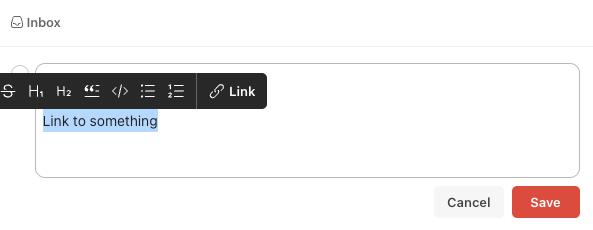
Here is how it works: in many text editing programs (like this one from WordPress) you select a text block, select the ‘link’ function in a contextual menu, paste the URL you want to link to, confirm > text block has a link.
In ToDoIst you select the text block, paste the URL and voilá, the text block has a link.
That’s simple and just logical. These are the type of interactions that trigger me and surely also why other user’s love them; it was right in front of you, you just needed a smart (designer) mind to unveil it.
Type your textSelect textPaste your URL and the text is linked
Figma – drag on a parameter to adjust
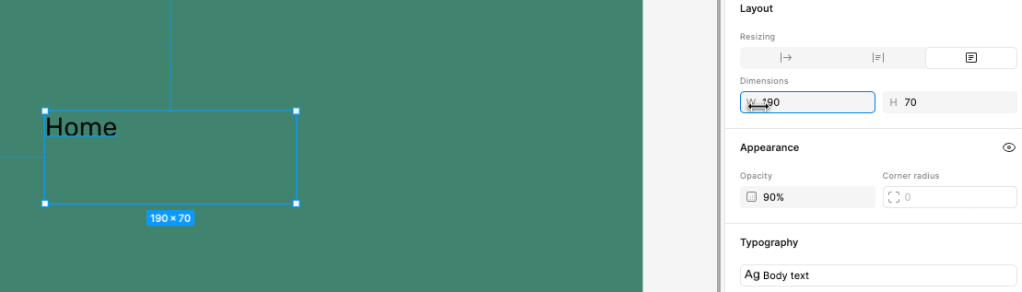
In a Figma tutorial I discovered a little gem when adjusting object parameters, like width and height of a text box. There is a little hint as the cursor changes to a left-right arrow icon when you hover over the parameter (w or h). By click & drag you adjust the value accordingly. A pretty sweet interaction!
Only hurdle what I have with this nice like idea is that, semantically, you want to move your mouse in a certain direction. More height (h) is wired in my brain as moving the mouse up, not right. The interaction paradigm here is that you move left to decrease, and right to increase. Perhaps this is why I have never heard my design colleagues sharing this when they taught me Figma.
Not so elegant UX
Not everything is elegant and strides with pride! In my quest for finding those visuals, interactions and behaviors that trigger me, it is sometimes easier to find things that annoy me. A very human thing to do 😉
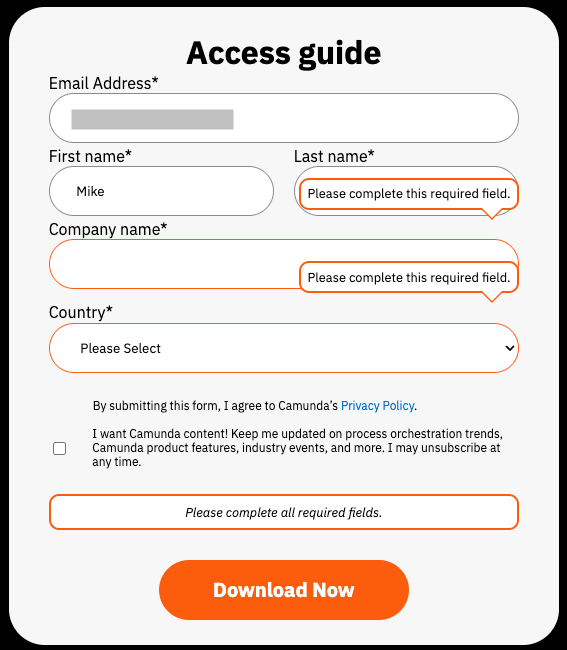
This example came from a site where I wanted to subscribe for a document download. I accidentally pressed the ‘Tab’ key too fast, and I jumped a field too far. This would not have been a problem, except directly a ‘data validation’ pop-up appeared trying to tell me what I missed. Normally not a bad interaction, except when you get the error notification directly after opening the form.. (but that is for another post ;). In this case, the pop-up obscured the entry fields and I could not see if I have typed in my details correctly. Recovering from error is such an UX Design principle 101, and here it failed
Needless to say, I skipped the process and did not download that document…
This article was shared in my design community, and provokes some interesting and difficult questions, specifically about the mindset of traditional & current ways of working and the time it (can) take to move to a more fluent and hybrid model between designers and developers, between idea and execution of that idea. These are the questions that came to my mind.
What is an idea?
An idea is not something that can just be generated and executed, it takes curiosity, design thinking, empathy and critical judgment before it comes to fruition. It takes time, knowledge and opinions to see multiple angles and variations for an idea to move forward.
Surely, GenAI can help you with inspiration and directions but the people involved are driving the idea or concept. While it is true that with AI the movement from an idea to execution can dramatically be made faster, we should still spend time on the originating idea.
What we need to be careful of, nevertheless, is the mono-culture that often arises from AI models. In many experiments I witness a single lane highway (e.g. revolving around one idea) with a lot of entries but no exits. The only one that can force that exit, is the person involved.
The benefit could be, that since speed is automatically gained, this shift would allow us to create more ideas, one after the other. But… it can also be just being faster and get on with another project. I’m not sure yet on what to expect.
What I do know, is that we should remember the concept of ‘kill your darlings’. If we all grow ‘fond’ of our designs and we are amazed how well AI supports us, there is a risk we forget the bigger picture that we serve. Therefore, please be ruthless eliminate and start over, even if you don’t like it!
Who masters the idea?
The article quite easily assumes that designers create the idea and move this all the way to the front-end. However, why would developers not use the same tools and move it forward, or product managers, or other parties involved, why not even the users themselves?
The statement “…it’s about AI giving designers a new level of leverage — automating the boilerplate so they can focus on behavior, interaction, and flow.” speaks more about current tasks of the UX designer, and not direct about the creative idea generation. I’m not yet fully convinced we’ll move out of our traditional roles for some time to come, but definitely I like the promise of closer collaboration due to a certain ‘force’ we all seem to accept as the direction we are all heading.
Who masters the execution?
The article states “Code-first design, where designers build functional prototypes using AI, is becoming the new default.” From my own experience there always has been a gap between designers and developers, not only in ways of working and focus area but mostly in mindset.
While it is great that designers can create functional prototypes, it does not mean it gets accepted as such, especially not when we all start with this new way-of-working. Developers have a keen eye for detail and corner use cases, and in my (humble) opinion they suffer a lot more from the “not developed here” syndrome. E.g. the work is not up to my par. Designers on the other hand focus more on being inspired, because they don’t have to re-use the design files as is but merely as a starting point to wander off from.
In my view, this will (initially) lead to skepticism and mistrust, where only close collaboration and an open mind from all parties involved will overcome this. In many projects in my past I have sometimes worked in such ‘pair-ups’, not because of the AI tool but because the shared interest and goal, the open minds and the fun we had while collaborating.
Will it improve collaboration?
I do love the term mentioned in the article: Shared momentum. It holds the promise that multiple functions are working on the same product in a high energy model. What is not entirely clear is who brings what, who owns what, and what is shared. Is it a revolving role-playing game, where everyone sits on each-others chairs whenever needed, or is it more traditional where everyone contributes more or less from their ‘function’ to the same shared goal?
The article advocates for removing the rigid swim-lanes, and also that it requires an org change. Above all, my statement remains it is a mindset change for all functions involved. As most company leaders know, you can re-organize an org, but if the people stay the same, it will be very hard to rewire current beliefs, mindset and culture. That is a nice and big challenge ahead of us!
Who masters the strategy
Besides writing about ideas, execution and collaboration, the article in the end moves to the overarching strategy of shaping & framing how and why what to build. The AI tools are now being used for exploration, not for design ideas-to-execution. In my view, this should be a separate article all together.
For example, I love the header “Innovation at the Speed of Curiosity“, but it is not about strategy, it is about idea-to-execution. It is about running ‘forward’, not about taking a moment to think where we are going. While I clearly see the relationship, the article would have been improved if the two concepts were more split up.
Conclusion
AI tools can improve the execution skills of a designer, just as much it can improve the idea skills of a developer. As the article says, it is about fluency and being hybrid. Whichever way it will go, there is definitely a movement of coming closer together and I can only cheer (and lead) that on.
The article describes the specific roles of the product manager and the product designer, what each function’s responsibility is, and how they work together with the help of GenAI. While reading, I’m gaining thoughts and ideas from my experience designing product together with product management over many years working for a large corporate organization.
Who is the spider in the web?
In my long-time experience, the designer was always following the product manager. The product manager is the spider in the web for the product in development, the designer was only one string (or a few strings) in that web. But.. the designer is a spider in a much bigger ecosystem. As a design function, we span multiple webs (e.g.. products), we are connected to larger programs (e.g. design systems), and beyond that, we seek to share and inspire other design ‘spiders’. The two worlds live next to each other but do pose a certain imbalance, there is a difference that hampers evolution.
In the article the product manager has a high-level view (“the product manager is not an expert on all … aspects of her own product”), while the designer (and other functions) have a more specialist view (“recognize that very few product designers or engineers have this type or depth of knowledge”). While not clear from the article, it is my expectation the generalist and specialist roles will need to be more interchangeable and more fluid than it currently is.
The article does nicely point both functions are necessary, though I’m doubtful about the reason why this would not be the case. Is there a battle for AI technology ‘ownership’? Is there a undercurrent where this would (finally) give us a reason to get rid ‘of the other’? Often with new technologies, people claim ownership trying to become ahead of others. With this technology I’m advocating for a level-playing field, where we are all equals (or more equal) now, and by standing together with our human intelligence and unique insights, so we can apply critical thinking against the power of the tool(s). As the article rightfully says “we need to focus on the critical thinking and judgement that the product manager and product designer each need to bring to the team.”
It is true that functions that create products, have more or less involvement during certain development timelines of the product. Engineers typically come in later, a product manager sets out the requirements at the beginning, user researches start with those requirements and discover the real human problems, UX designers conceptualize and prototype it, usability engineers test the products in a later stage of development, etc.
In the UX process that I have recently created you see this coming back as well, as this is how we traditionally do things; we all have our responsibilities and tasks along the process timeline, and it is very hard to change due to expectations, culture and planning. It is even hard to define a common ground we all work towards as one team! A great product with a great user experience should be our shared goal, but often we see others or ourselves being responsible for and driving a singular output. I’m not convinced yet if GenAI will democratize this process, it is already hard to bring functions into one process, as each one has their own goals and ways of working, let alone rewrite the script all together and let a technology drive equality.
A level-playing field
Nevertheless, the article describes clearly different responsibilities between the functions. In an ideal world, everyone would chime in on a level-playing field bringing in their unique perspectives. But we also know that separated responsibilities also invoke ownership, an ‘us vs others’. As a designer I know this only too well, it is never great to hear people giving their non-expert opinions about a design.
What I liked about working in my own GenAI project is that we all we’re on the same boat and none had a clear role when discussing directions or decisions when together. Surely, everyone brought in their perspective, and even the AI technology was bringing solutions, but we all were designers and product manager at the same time and we were all discussing launch plans and regulatory issues.
The best direction I see now, is an equal playing field when working together, and then go your own way in your expertise, working out what is expected from you, and bring it back (asap, if it is AI it should be faster!) and collaborate again as equals. Basically, being a generalist when collaborating, and a specialist when developing next steps. However that it is a mindset change – if you bring in design solutions, others will see you as the designer. Will AI level this playing field? I’m not sure yet, it is a human thing of culture and discipline, though I also see the democratization of knowledge and capabilities. Basically, I can write a product marketing brief as well 🙂
Both functions (product manager and designer) are meant to understand and get close with the intended customer, though the questions and understanding we (want to) have are for different reasons. I also know this often overlaps, and sometimes fight with each other. Multiple functions ‘go out there’ and bring in their understanding of the customer, and because of different goals we see often challenges in understanding each other. Bringing in all those perspectives and having a tool that summarises that as one big block of knowledge, but also provides output that is relevant for your function with connections to other data you would not have known or asked for, would be fantastic.
Or… will it overburden everyone? E.g. is it better to stay a specialist and let others be a generalist? The article is not always clear about this, but in the end it does say what I also stated before. We all bring in our unique perspectives and unique goals, but the tools are similar and the collaboration with these tools can enable a true collaboration on an equal level. It will be important to have, for the time being, orchestrators and organizers that support that transition.
Everybody becomes a creator
This conflicts somewhat with the tendency to have everyone become a creator of content and remove middle management as pure organizers, managers or orchestrators. In this trend, everyone should become a “product creator”, where product manager also become ‘do-ers’. While reading this article and the definitions for product managers, it seems they are already ‘doing’ a lot. But in my experience, I notice more time is spent on overview, connections, and demonstration. There is also more time spent on sharing than on active creation while ‘discovering the product.
This could be my limited perspective. I never worked as a product manager. They do seem to be more orchestrators rather than actively creating. There is definitely an opportunity to not have the discovery & prototyping phase only be done by the designer, where currently the product manager ‘judges’ if it meets his/her criteria, but do it themselves or together with the designer. Now it sometimes seems that a designer is the (Human Intelligence) tool for the Product manager.
Note, if this becomes a common ground, this does start to ‘scratch’ with the traditional role and responsibility division. Imagine a ready made prototype by a product manager, asking the designer to further work on it and a developer to make it production ready (e.g. clean it up). The question comes back to; do we want shared ownership and a mindset change, or will some function claim (main) ownership where others follow?
Conclusion
In the end, the conclusion “Our belief is that when generative AI tools are used by people with strong product and design sense, we can not only build the product faster than ever (delivery), we can figure out the right product to build faster than ever (discovery).” is generic but it does hold the promise we need each unique skills and strengths to build what our users need. I do miss the AI tools support in this particular article, as how it can emphasize en lift all people involved in product creation.